Introduction To Communication
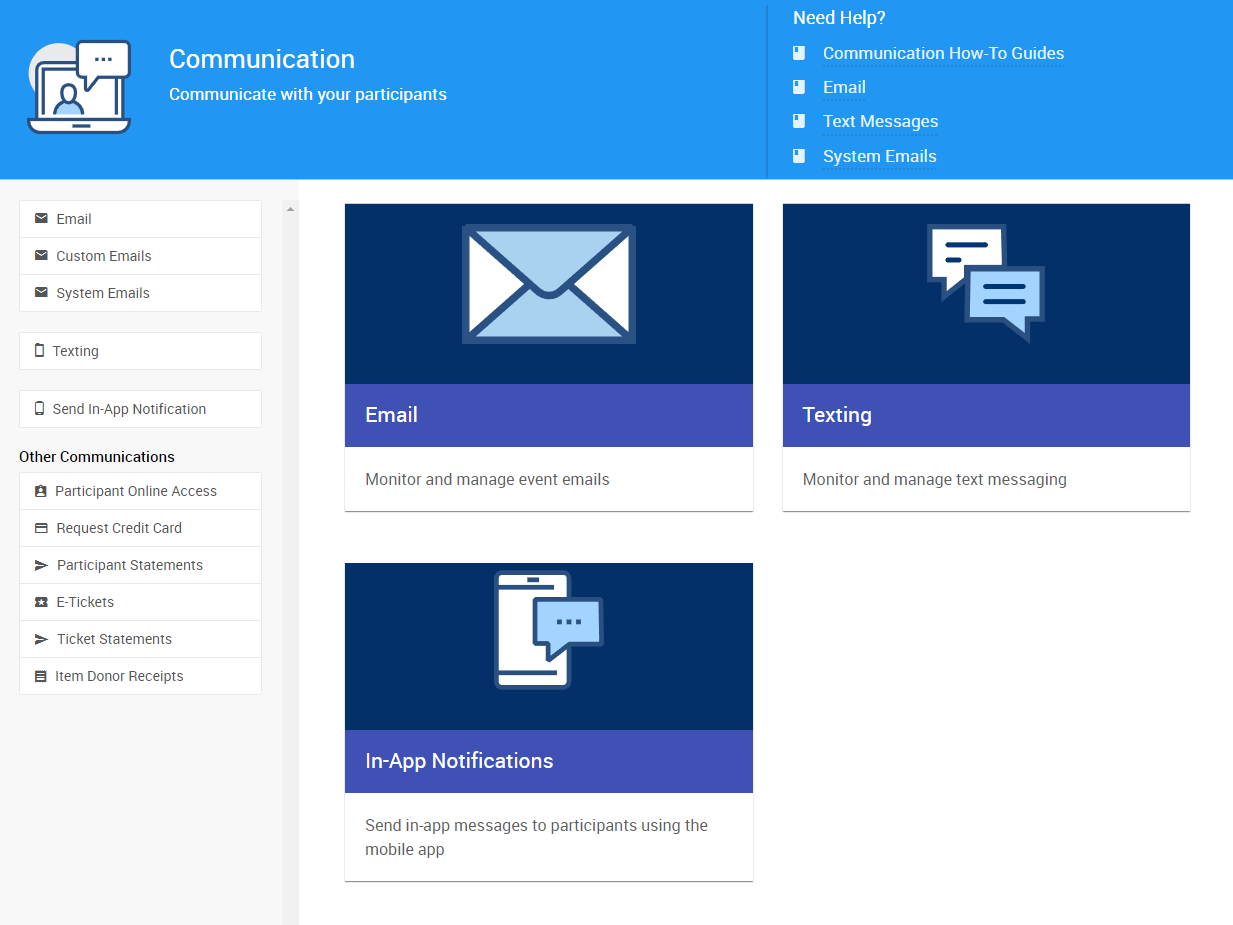
Auctria offers a number of features to help you communicate with bidders or donors via email, text messages, or in-app notifications.
Communication Varies By License
Some communication features are only available to specific license tiers.
🗺️ Getting Where You Need To Be
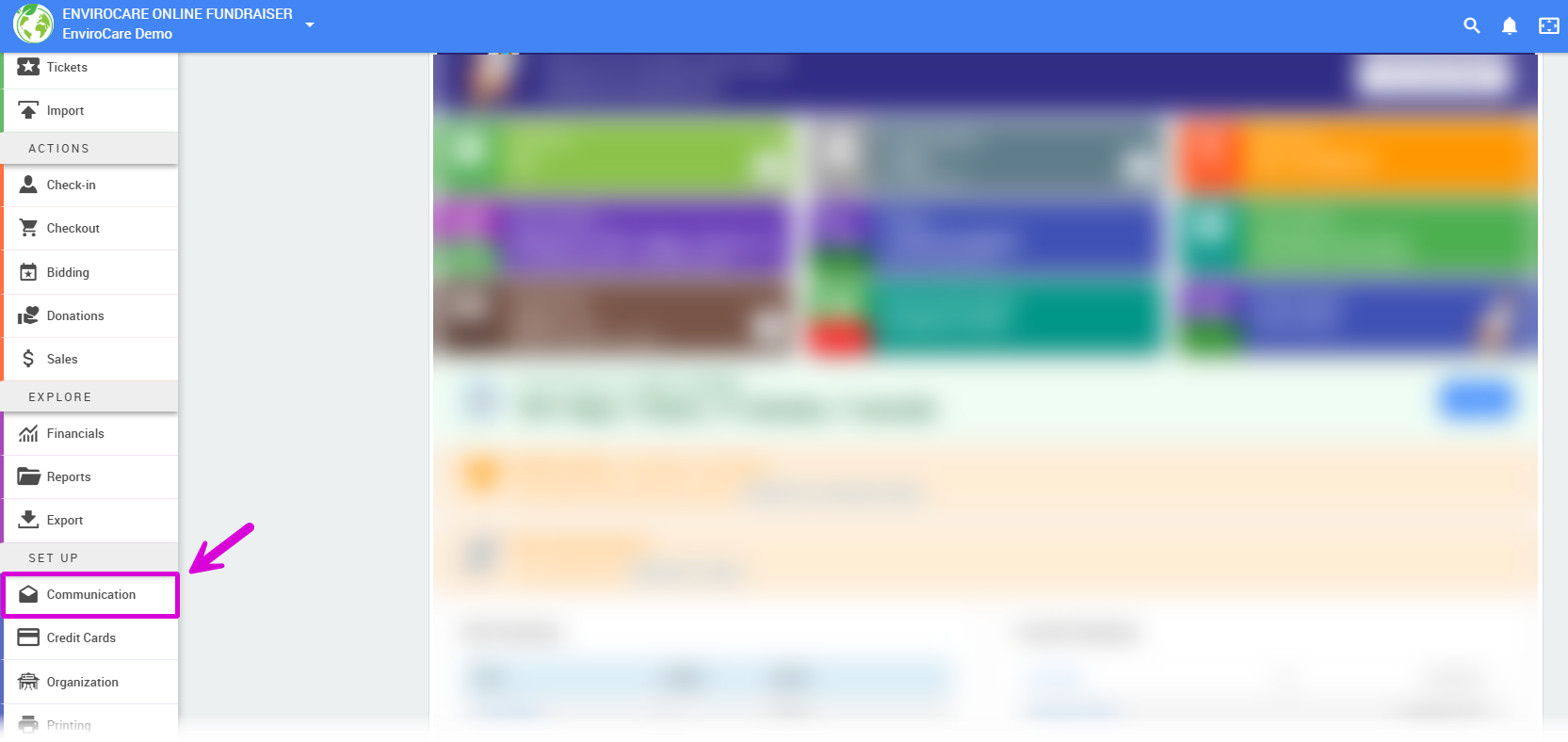
You can access Auctria's Communication features by clicking the Communication on the left sidebar, under Setup.
📧 Email in Auctria
The Auctria system will automatically send out Email Notifications when specific actions are performed.
Our Transactional vs Marketing Emails page provides an overview of the primary function of Auctria's Email features.
Please see System Notifications for a list of what emails Auctria sends out.
You can find summary descriptions of Auctria's system emails by visiting System Emails Summary.
For help with editing Emails for Online Only Events, visit the Email Edits For Online Auctions page and its related topics.
Email Dashboard Links
From the Communication dashboard sidebar, you can access:
- Email ➡️ links to the Email Manager dashboard.
- Custom Emails ➡️ links to the Custom Emails dashboard (for paid licenses).
- System Emails ➡️ links to the System Emails dashboard.
📱 Texting in Auctria
If you have a paid license with Auctria, you will be provided Text Messaging service, as either Standard Texting or Advanced Texting.
See the Text Messages page for more detailed information on the differences between Auctria's texting services.
See the Send Custom Text page to learn about sending custom Text Messages with Advanced Texting.
Advanced Texting Regulations
Texting industry rules in the US require extended registration to get the most out of the texting features in Auctria.
Texting Dashboard Links
From the Communication dashboard sidebar, you can access:
- Texting ➡️ links to the Text Settings dashboard.
🔔 Mobile App Notifications
Auctria allows you to send in-app notifications to bidders using the mobile app.
- Send In-App Notification links to the Send Notification page for mobile devices.
- See Bidder Mobile App for more information.
📣 Other Communication Features
The Communication dashboard also provides access to additional communication tools:
- Bidder Online Access ➡️ links to the Participant Online Access And Tokens dashboard.
- Request Credit Card ➡️ links to Credit Card Request dashboard.
- Bidder Statements ➡️ links to the Participant Statements dashboard.
- E-Tickets ➡️ links to the E-Tickets dashboard.
- Ticket Statements ➡️ links to the Ticket Statements dashboard.
- Donor Receipts ➡️ links to the Item Donor Receipts dashboard.
Last reviewed: January 2026