
Learn how to choose whether Auctria uses event-based or auction-based terms for your event.
Auctria offers two sets of terms: Event Based (the default) and Auction Based. The set you choose changes the wording used throughout Auctria for your event. For example, a banner might read Event Archived or Auction Archived.
About this User Guide
The User Guide uses Event Based terms. If your event uses Auction Based terms, the wording you see in Auctria may differ slightly, but the features work the same way.
View Your Event's Terminology
Click Event in the left sidebar, then click Terminology in the page sidebar.
The Event Terminology page shows which term set your event uses and lists each term.
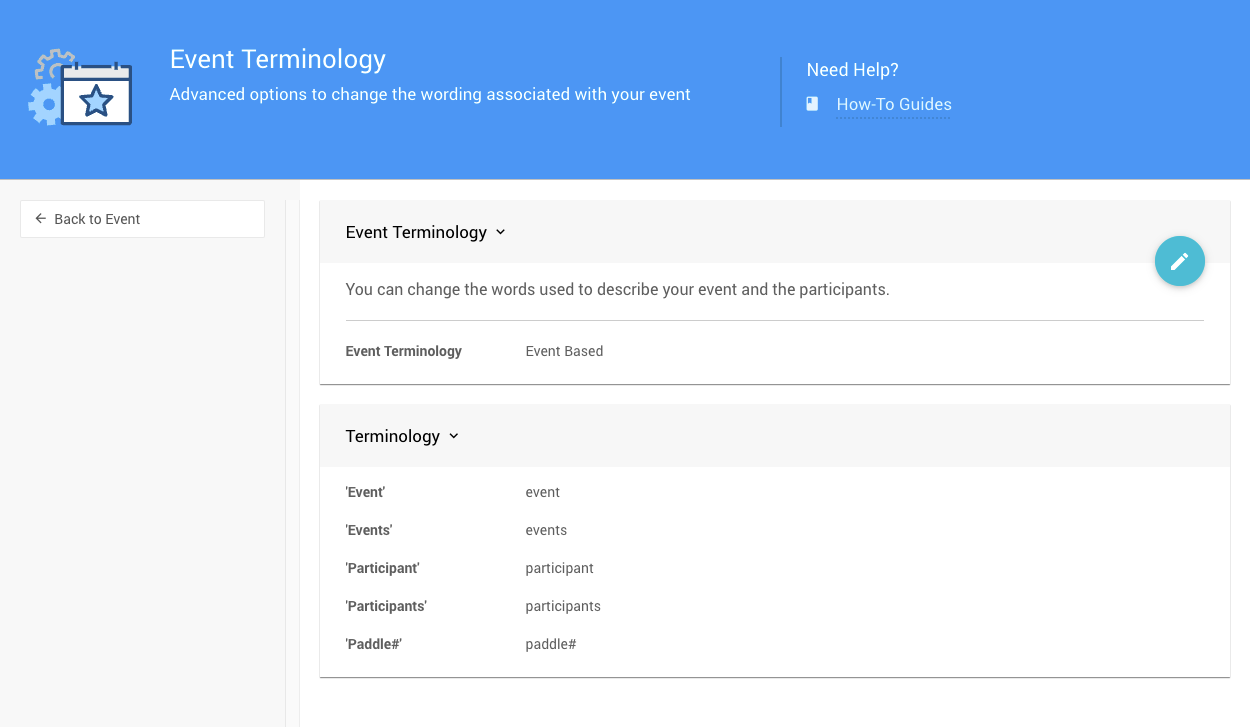
The Event Terminology page with Event Based terms from a demonstration event.
Compare the Term Sets
The Auction Based set replaces some event-focused terms with auction-focused ones.
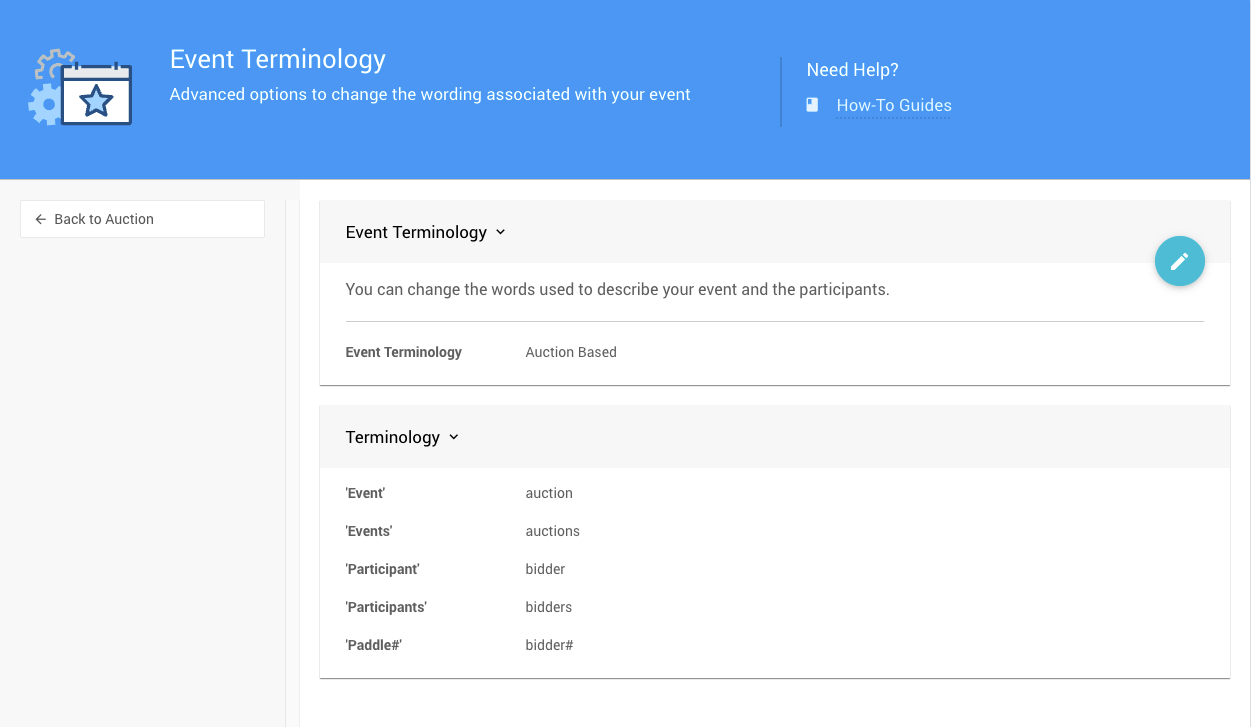
The Auction Based terms. Compare them with the Event Based terms above.
Change Your Term Set
- On the Event Terminology page, click the pencil icon on the panel to open it for editing.
- Choose Event Based or Auction Based from the drop-down.
- Click the checkmark icon to save your change.
To cancel without saving, click the return arrow icon.
Individual terms can't be edited
You can switch between the Event Based and Auction Based sets, but you can't change individual terms. The term list is shown for reference only.