
An overview of the Financials section of the Auctria platform including credit cards and expenses.
The Auctria Financials dashboard provides a quick tabbed overview of your event, focusing on Net Income, Profit & Loss, and Cash Flow. These are supported by quick access to the Credit Cards, Expenses, and Payouts dashboards, along with a list of commonly referenced reports.
Getting Where You Need To Be
To access the Financials dashboard, click Financials on the left sidebar.
The dashboard opens to a tabbed view covering Net Income, Profit & Loss, and Cash Flow for your event.
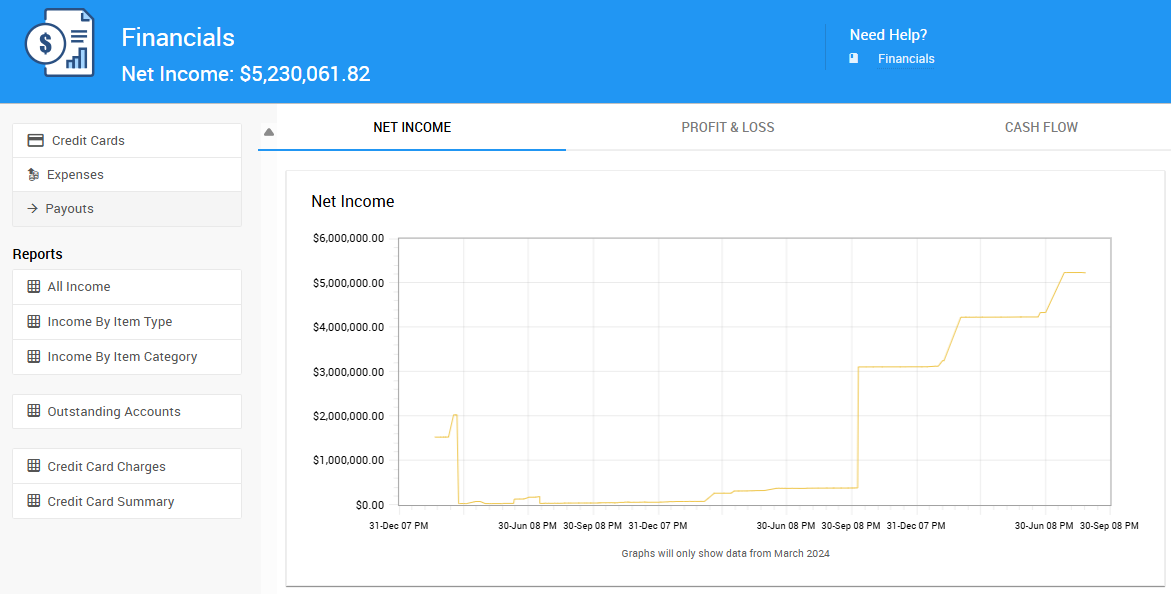
An example Financials dashboard from a demonstration event.
Net Income
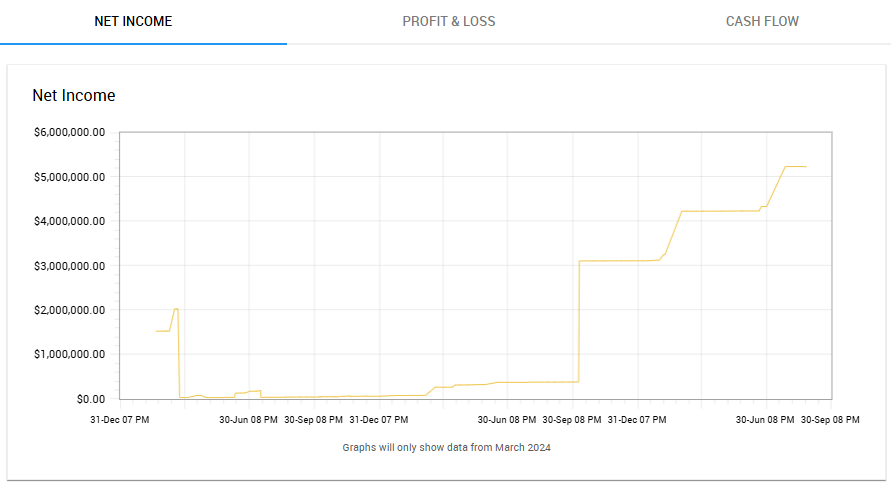
An example Net Income tab from a demonstration event.
Profit & Loss
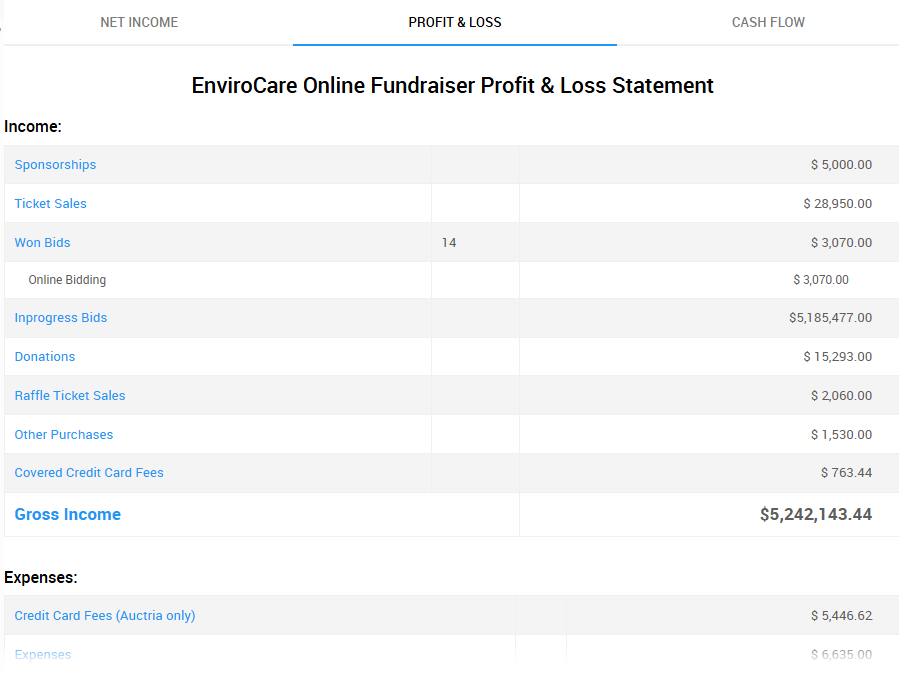
An example Profit & Loss tab from a demonstration event.
Cash Flow
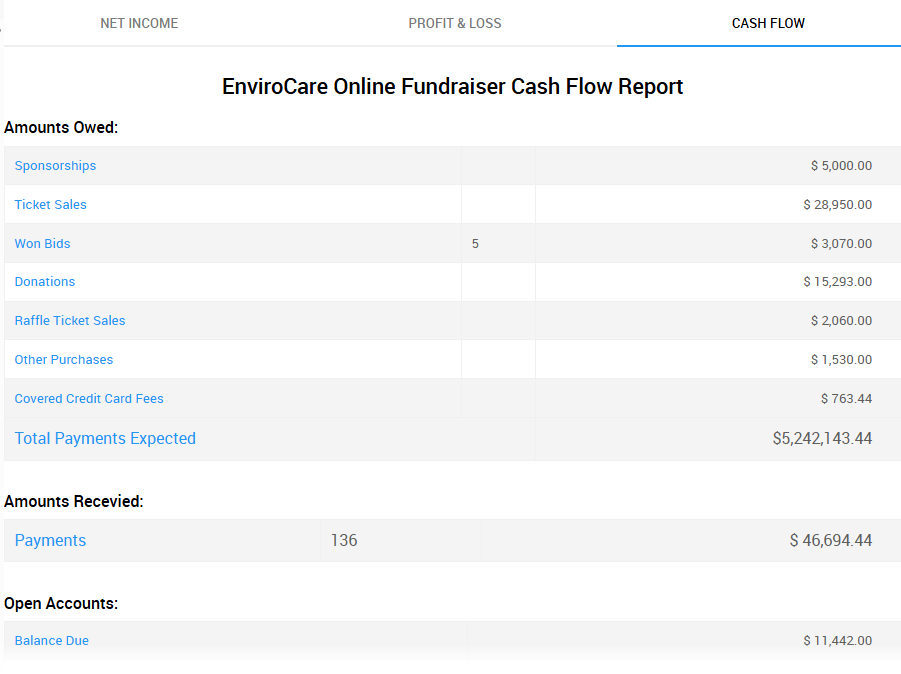
An example Cash Flow tab from a demonstration event.
Quick Links
The Financials dashboard also links out to related settings and dashboards:
| Sidebar Entry | Description |
|---|---|
| Credit Cards | Opens the Credit Card Settings page. |
| Expenses | Opens the Expenses Dashboard. |
| Payouts | Opens the Payouts dashboard, shown below. |
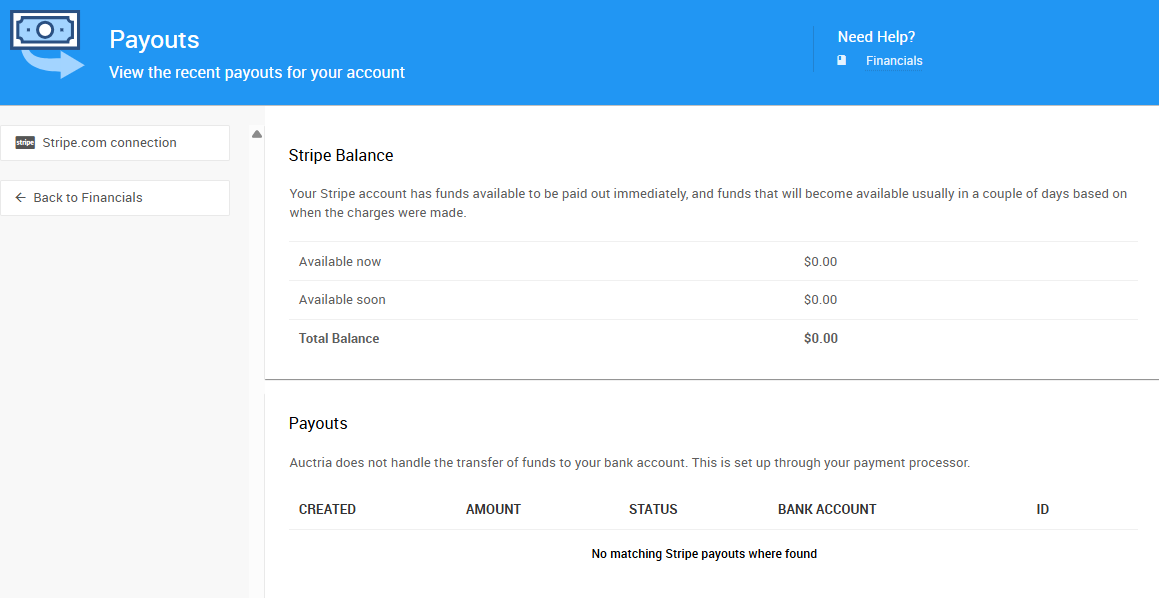
An example Payouts dashboard from a demonstration event.
Reports
Several financial reports are available directly from the left sidebar. For more details on the reports Auctria offers, see Reports.
Credit Card How-To Guides
See our collection of Credit Card guides for help configuring credit cards in Auctria.
Introduction To Credit Cards