
Learn how to pause online bidding by moving the start of your Online Bidding Period into the future.
To pause bidding, set the Online bidding start time to when you want bidding to resume. Until then, items that use the event's bidding times are closed.
What Pausing Affects
| Items | Paused? |
|---|---|
| Online items | Yes |
| Paper and Live items with Participate in online bidding turned on | Yes |
| Items with their own override bidding times | No. They follow their own times. |
| For Sale and Donation items | No |
Pausing only some items
To close specific items instead, use Open/Close Bidding.
Steps
Don't move the end time
If you click Now for Online bidding end, or set it to a time in the past, online bidding closes as soon as you save. Change only the start time.
- Go to Settings → Online Bidding.
- In the Online Bidding Period section, click the pencil icon.
- Set Online bidding start to the date and time you want bidding to resume.
- Save your changes.
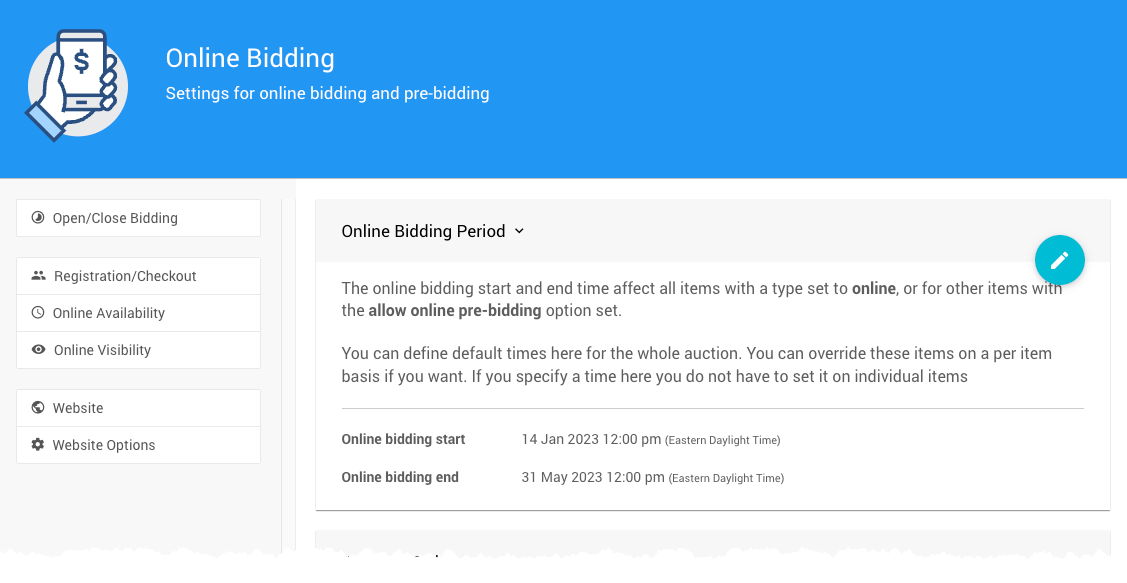
The Online Bidding Period from a demonstration event.
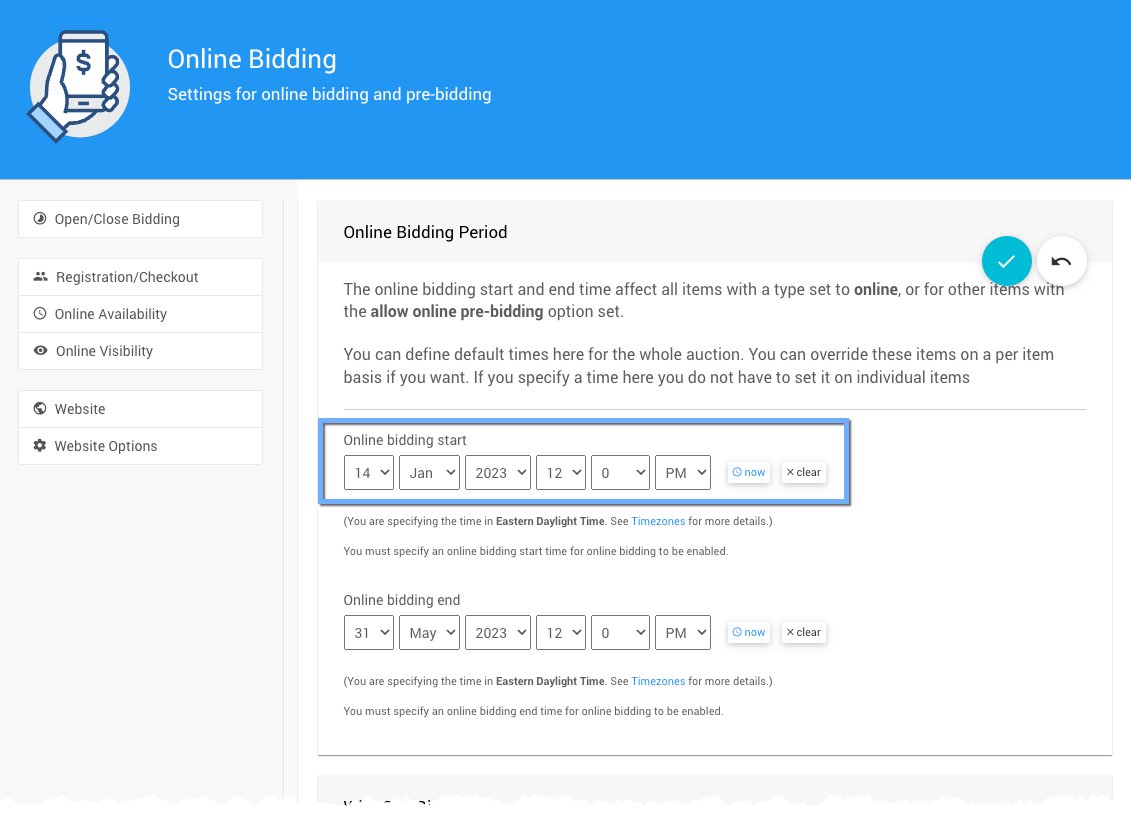
Setting a new Online bidding start time.
What Guests See
If a guest tries to bid while the event is paused, they see a message saying when bidding starts again.
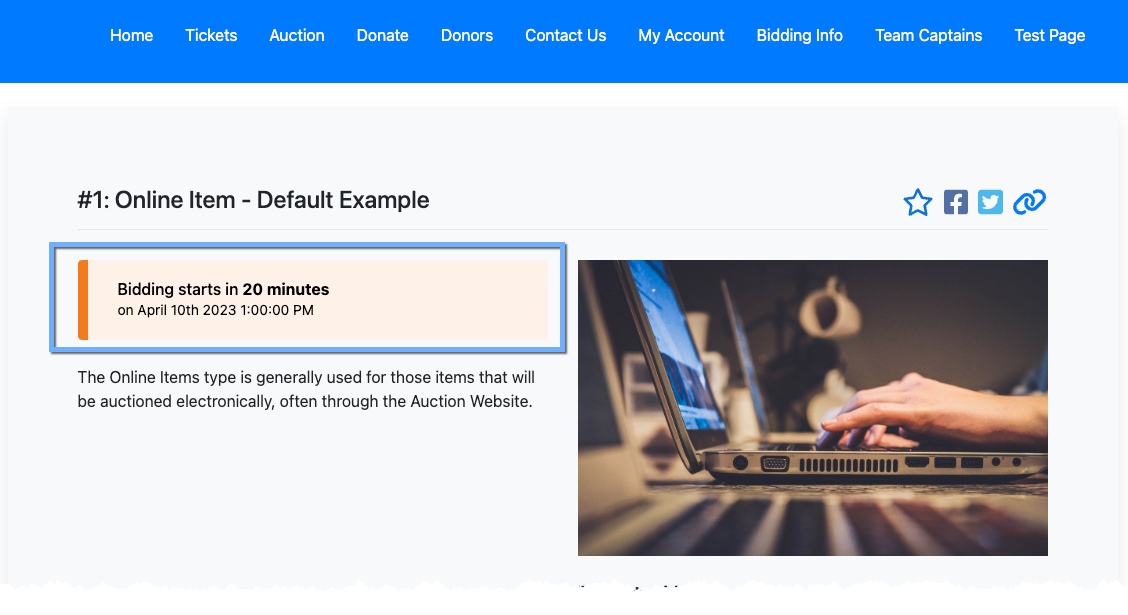
An example message from a demonstration event.
Bidding resumes automatically at the new start time. To resume sooner, set the start time to Now.
Why not clear the end time?
Clearing the Online bidding end time closes most Online items, but not all of them. Items closed manually and items in an active bid extension stay open. Moving the start time pauses every item that uses the event's bidding times.