
Create a duplicate of your event for testing and practice without affecting your live event.
Need to practice, train volunteers, or test new features without affecting your live event? Auctria makes it easy to create a safe testing environment. The recommended approach is to use the Create Test Event feature, which duplicates your event for practice purposes.
Open Create Test Event
From the main Event Dashboard, click Events in the left sidebar.
Click Create Test Event on the left side of the page. The Create Test Event page opens.
Who Can Create a Test Event
Creating a test event is Admin-only, and your account email address must be confirmed.
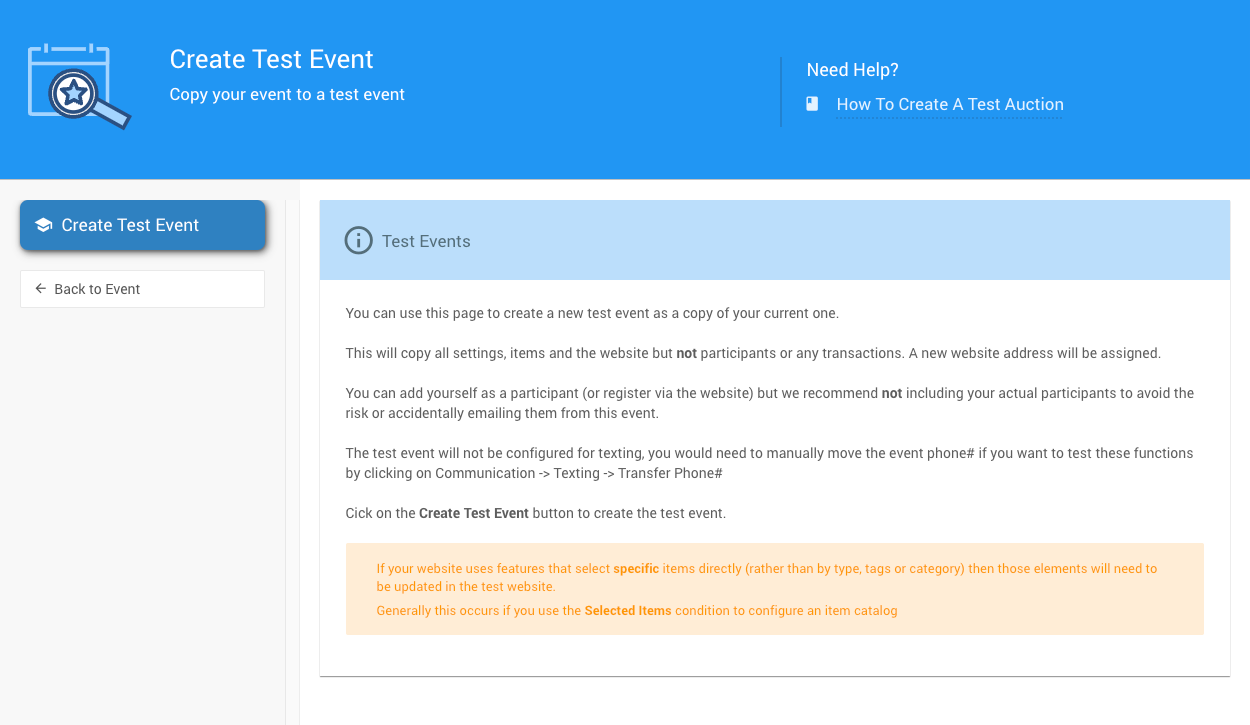
The Create Test Event page.
Click the button to create your test event. This copies:
- All event settings
- All items
- Your event website
What Isn't Copied
Participants and transactions aren't copied, to protect your real data.
Update Selected Items in the Test Website
Website elements that select specific items, such as a catalog using the Selected Items condition, need to be updated in the test website.
Understand Test Event Features
Your test event includes built-in safeguards:
| Safeguard | Description |
|---|---|
| Test website address | -TEST is added to the end of your website address. |
| Red warning banner | A large red banner at the top of the test website reminds you you're in test mode. |
| No real participants | Add yourself as a test participant. Don't add real participants, so you don't email them by mistake. |
| No text messaging | Texting is turned off. To test texting, transfer your phone number to the test event. See How To Transfer Your Texting Number. |

The test mode banner on a test event website.
Update Online Bidding Times
Your test event copies the bidding times from your live event. Update these to test online bidding now. See Online Bidding Times for instructions.
Making Your Test Event Live (Optional)
If you've tested changes and want to make your test event the live event, use the Copy Event function.
Important Notes
- The test banners won't copy over
- Review all settings and options before going live
- Verify online bidding times are correct for real bidding
Alternative Testing Methods
There are several alternative methods you can use to test your event.
Create a New Event
Create a new event in your organization or copy an existing event.
Give it an obvious name like --TEST EVENT ONLY-- so it's clear which event you're working in.
Which Event Opens First?
If you have multiple events, Auctria opens the "default" event based on the date in the Event Summary tab. It shows events from the last week first, or the next upcoming event.
Create a New Organization
Create a new organization for testing (click Organization → Create New Organization). It will have an Explorer license with enough functionality for testing.
Or, sign out and create a completely new account with a different email address. You can share these credentials with others for training.
Use the Demo Event
Sign out and use Auctria's demo event at www.auctria.com/Demo.
Demo Event Data
Using the demo event automatically signs you out. The demo comes pre-populated with sample data so you can start testing immediately.
Advantage: These options aren't attached to your main account, reducing confusion about which event you're working in.
Create a Test Item
Test within your live event by creating a test item (Items → Add Item).
Set the Override online bidding start/end time so the item is open now. Practice bidding on it, then delete it when finished.
Test Like a Participant
Use a different browser or incognito tab with a different email address to register as a participant. This shows you exactly what participants will see.
Advantage: Work with your actual event data to see how everything functions while adding minimal test content.
Cleaning Up After Testing
After testing, you may need to remove test bids. See Can I Delete Test Bids? for more details.