
Learn how events work in Auctria and how to set up, manage, and customize them.
Events in Auctria
Everything you manage in Auctria belongs to an event. An event can be:
- An in-person event on a single day, such as a gala or dinner auction.
- An online auction that runs over several days or weeks.
- A combination of both.
- A year-round fundraiser, such as a donation page or online store.
You can run one event a year or several. Each event is managed separately, and you can switch between events at any time.
Prefer to call them auctions?
You can switch your event to Auction Based terms, so Auctria says auction instead of event. See Terminology.
Event Data vs. Organization Data
Most of your data is stored per event. Some data is stored at the organization level and is shared across all of your events.
| Data | Where It's Stored |
|---|---|
| Items, participants, bids, payments, and expenses | Per event. Each event has its own records. |
| Item donors, users (organizers), and payment processor details | Per organization. Available in every event, so you don't need to re-enter it. |
Event Details
To open the Event Details page, click Event in the left sidebar. This is where you view and edit your event's core settings, and where you'll find the tools for managing your events.
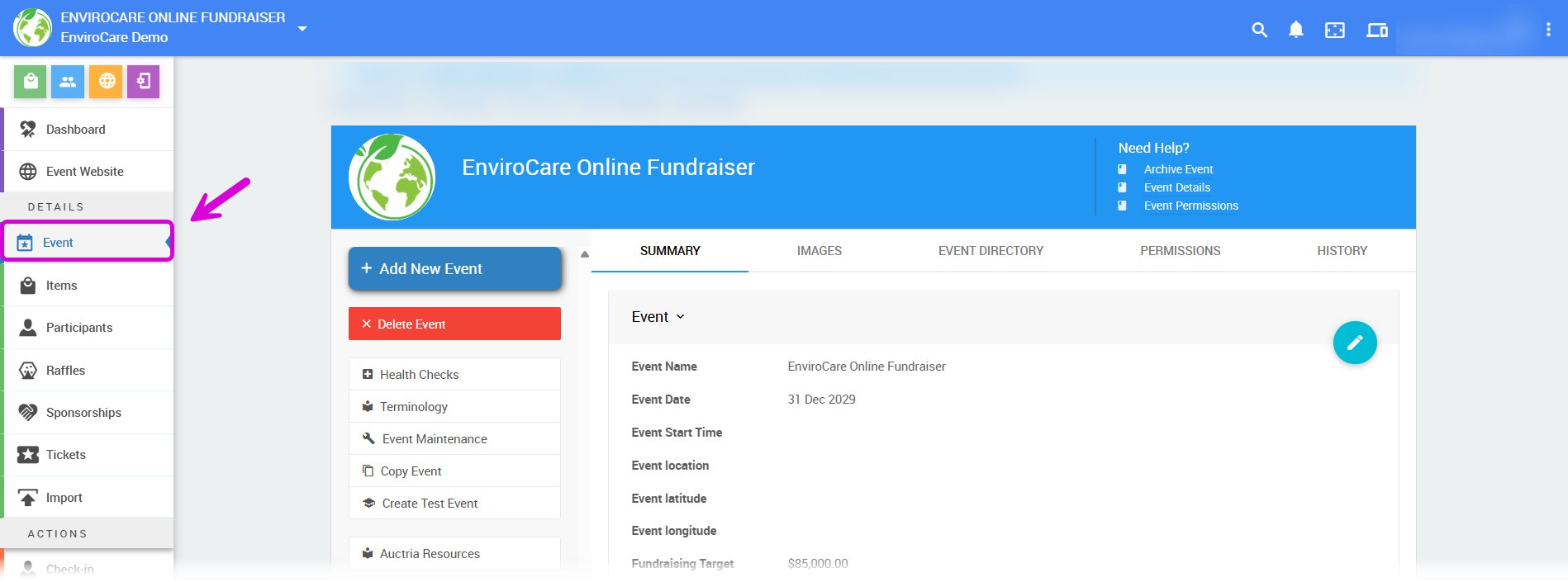
An example Event Details page from a demonstration event.
See Event Details for a full breakdown of each setting.
Set Up Your Event
Choose the guide that matches the kind of event you're running:
| Event Type | Guide |
|---|---|
| An online auction | How To Set Up An Online Event |
| An in-person event with paper bid sheets | How To Set Up An In-Person Event |
| A website that collects donations only | How To Set Up A Donation-Only Event |
| An online store for selling items year-round | How To Create An Online Store |
| An event with tickets sold online | An Event With Ticket Sales |
Running an in-person event? See In-Person Events for the features you'll use on event day, and Connectivity to plan how guests will connect at your venue.
Manage Your Events
| Task | Guide |
|---|---|
| Create a new event | How To Add A New Event |
| Switch to a different event | Change Events |
| Start a new event from an existing one | Copy Event |
| Hide a finished event from participants | Archive Event |
| Control who can access an event | Event Permissions |
| Collect extra information on your website forms | Custom Questions and Fields |
| Check your event for setup issues | Event Health Checks |
| Choose event-based or auction-based terms | Terminology |