
The Item Details Contents tab is available for items that are part of a Basket.
The Contents tab only appears on the Item Details page when the item has been designated as a Basket or Package item. It is used to manage and track the individual items that make up the basket.
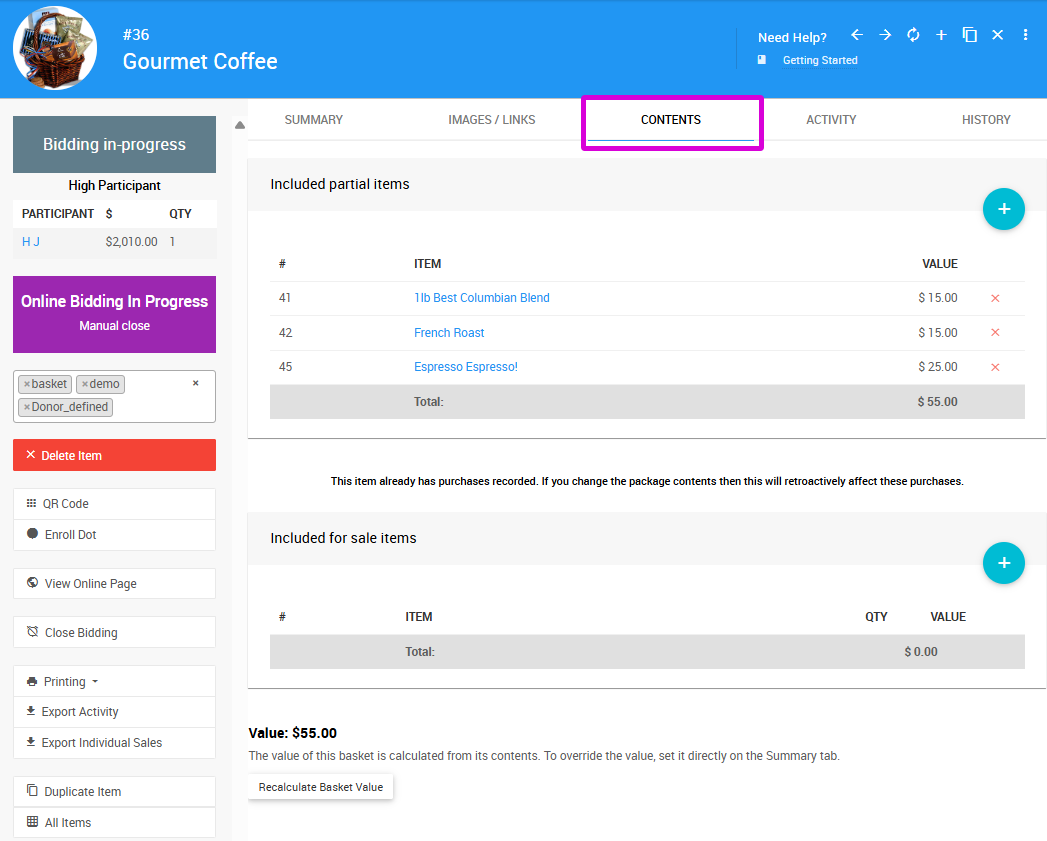
An example from a demonstration event.
Adding Items to a Basket
When an item is first designated as a Basket or Package, the Contents tab will be empty. See the Basket Details section of the Baskets and Packages page for instructions on adding items to the basket.
Contents Valuation
As items are added to the basket, the Contents tab tracks the total combined value of all items in the lot.
Click Recalculate Basket Value at any time to update this total. The calculated value will be used wherever item values are displayed — for example, in the event catalog or on bid sheets — unless a specific Value has been set manually in the Pricing section of the item's Summary tab, in which case that value takes precedence.