
Learn how to participate in an auction by sending text messages — including how to place bids, check your balance, and more.
Text bidding lets guests participate in an online auction by sending text messages to a dedicated auction phone number — no app or login required. To participate, the guest's mobile phone number must be associated with their bidder record. See Participants & Phone Numbers for details.
Text bidding must also be enabled for the event. See Text Messages for more information on how organizers set this up.
Text Commands
The following commands can be sent to the auction phone number when texting is enabled for the event.
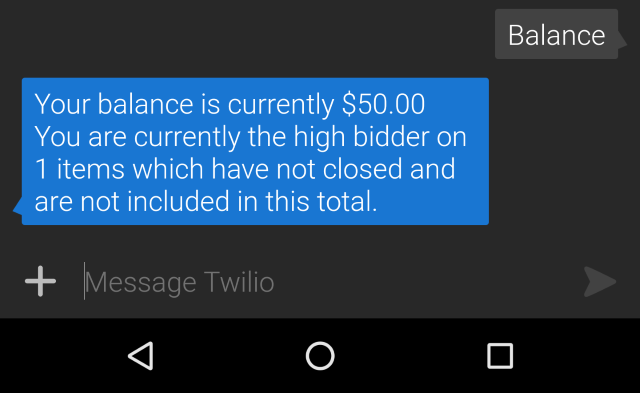
balance
Shows the current closed balance on the bidder's account.
If the bidder is currently winning items that haven't closed yet, the response will note the number of open winning bids — but those amounts are not included in the balance total.
bid
Places a bid on an item.
bid <amount> for <item#>
For example: bid 400 for #123
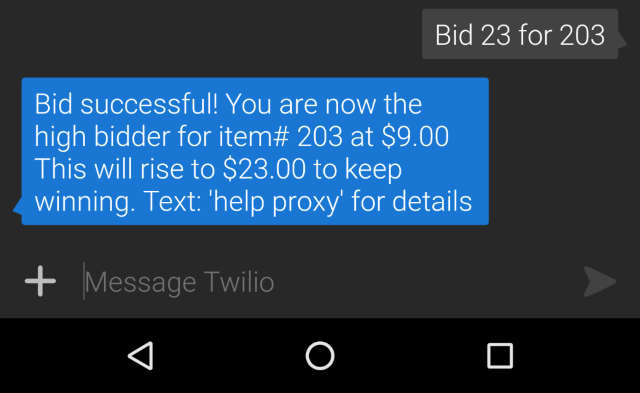
You can also use item# in the command: bid 400 for item# 203
Bids placed this way are treated as Max Bids by default, allowing the bidder to set their maximum and still receive outbid notifications.
If Maximum Bidding is set to Yes, off by default, bidders can explicitly request a max bid using the proxy keyword:
bid <amount> for <item#> proxy
For example: bid 400 for #123 proxy
Command order matters
The words in the bid command must be in the correct order. If not, the bid will be recorded at its full amount rather than as a maximum bid.
See Enable Maximum Proxy Bidding for details on enabling maximum bidding.
buy
Purchases a For Sale type item.
buy <item#>
For example: buy 101 purchases item #101. buy mulligan purchases the For Sale item named mulligan. The item must exist and be a For Sale type for this to work.
claim
Associates a bidder number with the cell phone number sending the message. See Enable Bidders To Claim Their Bidder Number for details.
claim
donate
Makes a cash donation added to the bidder's account.
donate <amount>
For example: donate 99 pledges a $99 cash donation.
To donate to a specific item: donate 99 to Donation-1 directs the $99 donation to the Donation-1 Donation Item.
Default donation item
Using the Text to Give Default Donation Item setting will record donate pledges directly to that item.
hello
Checks that texting is working. The auction responds with the event name attached to this phone number. If the bidder is registered, the response is personalized. If not, it prompts them to register (requires Registration/Checkout to be enabled).
item
Retrieves information about a specific item.
item <item#>
name
Sets the bidder's name on their account. Works the same as set name.
name <your name>
pay
Works the same as the balance command.
pay
register
Registers as a bidder using the cell phone number sending the message. See Enable Registration By Text for details.
register
resume
Resumes pushed notifications if the bidder had previously sent the stop command.
resume
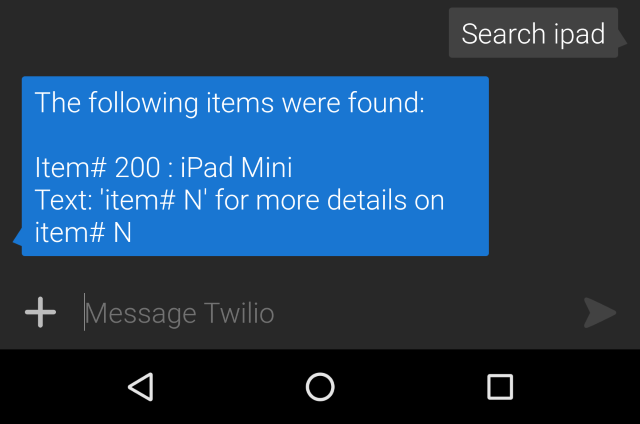
search
Searches for items matching a keyword.
search <search term>
set
Sets specific information about the bidder's account. Currently supports name only.
set name <your name>
start
Works the same as the hello command.
start
stop
Pauses pushed notifications from Auctria (such as outbid texts). Replies to texts the bidder sends will still go through as normal.
stop
web
Sends a personalized link to the auction website that automatically signs the bidder in.
web
who am i
Shows which bidder account the texting number is associated with.
who am i
winning
Shows a list of items the bidder is currently winning.
winning
Organizer-only commands
Some commands (sell, extended register) are available to organizers only. For these to work, the organizer must have a bidder record in the event with a matching email address and phone number. User permissions must also allow more than read-only access. See Add New Participant and User Accounts for details.