
Learn where to find Auctria's printable forms, such as bid sheets, display pages, and the event catalog, and how to customize them with stationery and Word templates.
Auctria creates most printable forms as PDF files that you download and print yourself. You choose which items to include, what information appears, and how it looks. You can also generate Word documents, such as participant paddles and labels, from Word templates.
How Did I Get Here?
From the main event dashboard, click Printing in the left sidebar to open the Printing page.
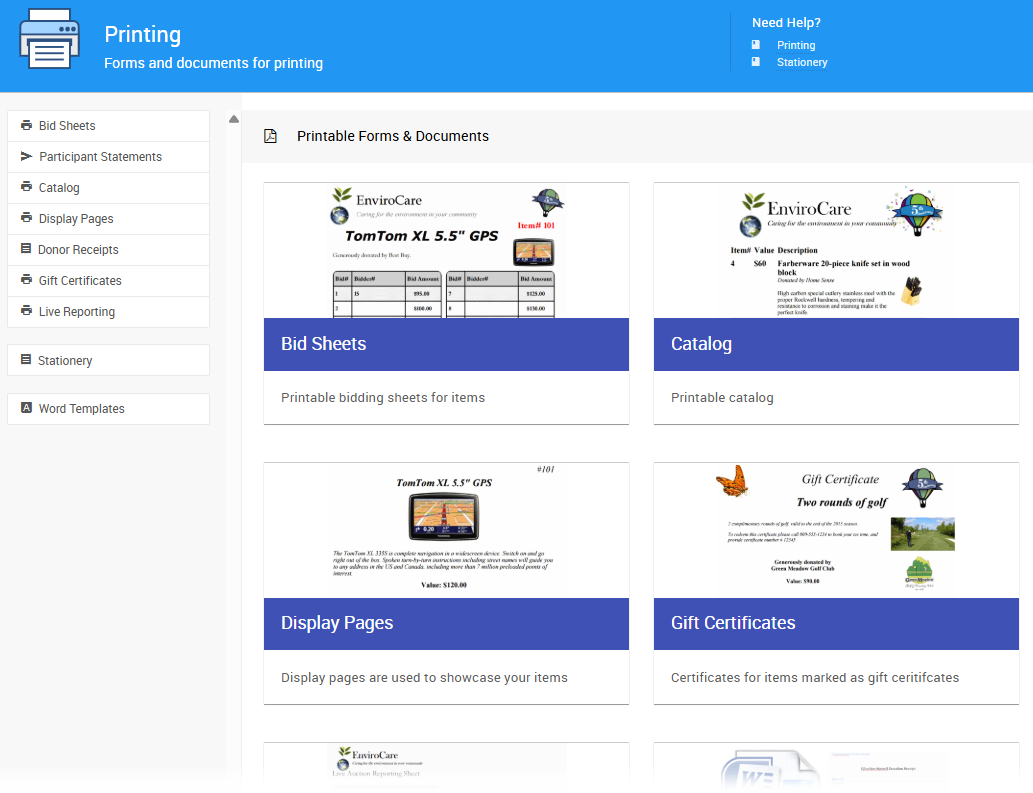
An example Printing page from a demonstration event.
Printable Forms
Click a block in the Printable Forms & Documents section, or its name in the Printing sidebar, to open the form.
| Form | Description |
|---|---|
| Bid Sheets | Paper bid sheets participants use to bid on items at an in-person event. |
| Catalog | A PDF catalog of your event's items that you can print or share electronically. |
| Display Pages | One page per item, to display beside the item at your event. |
| Gift Certificates | Printable certificates for items marked as gift certificates. |
| Live Reporting Sheet | A sheet for recording live auction bids during your event. |
| Participant Statements | Printed statements for your participants. You can also reach them from Participants → Statements. |
| Donor Receipts | Printed receipts for your Item Donors. You can also reach them from Items → Item Donors → Item Donor Receipts. |
How Printable Forms Work
Most printable forms have the same tabs.
| Tab | Description |
|---|---|
| Selection | Choose which items to include. See Choose Items Filters. |
| Options | Choose the page size, stationery, and what information appears on the form. |
| Appearance | Set text alignment, colors, and fonts. |
| Advanced | Control exactly what is printed for some fields, using template placeholders. See How To Customize the Item Description Format. |
When the form is set up, click Download in the form's sidebar to create the PDF.
Stationery
Stationery is a PDF file, like letterhead, that your forms are printed on top of. Use it to add your logo, address, or other branding to your bid sheets, catalog, display pages, and more. See Stationery.
Word Templates
Use Printing → Word Templates to generate Word documents from templates, such as participant paddles, name tags, mailing labels, and thank-you letters. You can download any template, customize it in Word, and upload it for your event. See Word Templates.
Common Printing Tasks
| Task | Page |
|---|---|
| Change your bid sheet layout, columns, and wording | How To Customize Bid Sheets |
| Print the bid amount on every bid sheet row | How To Pre-Populate Bid Sheet Values |
| Print two bid sheets on one sheet of paper | How To Print Bid Sheets 2-Up |
| List basket contents, terms and conditions, or quantities on your forms | How To Customize the Item Description Format |
| Print your catalog as a booklet | How To Print A Catalog Booklet |
| Fix blank pages or missing items | How To Fix Blank Pages When Printing |
| Print participant paddles and name tags | Participant Labels/Paddles |
| Print item labels or mailing labels | Labels |
| Create custom thank-you letters for Item Donors | How To Generate Thank You Letters |