
Learn how to customize the Word thank-you letter template for your Item Donors and generate a letter for each donor.
Auctria has a built-in donor receipt that you can email or print. See Item Donor Receipts. For more control over how your letter looks, use the Thank you letter Word template instead.
Steps
From the main event dashboard, click Printing → Word Templates.
In the Document type drop-down, choose Donor Receipt.
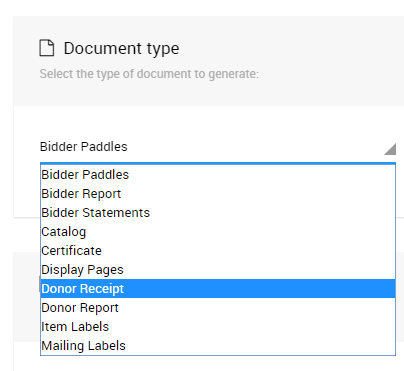
An example from a demonstration event.
Click Export Template beside Thank you letter, and open the downloaded file in Word.
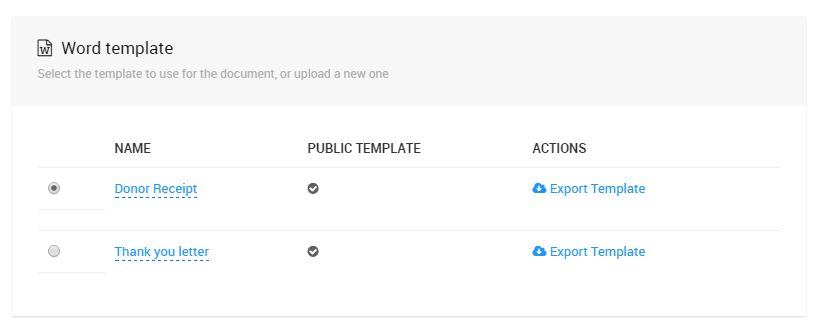
An example from a demonstration event.
Edit the letter. For example, add text about your organization and event. To leave out the list of donated items, delete the block that starts with
{% if ItemsDonated %}.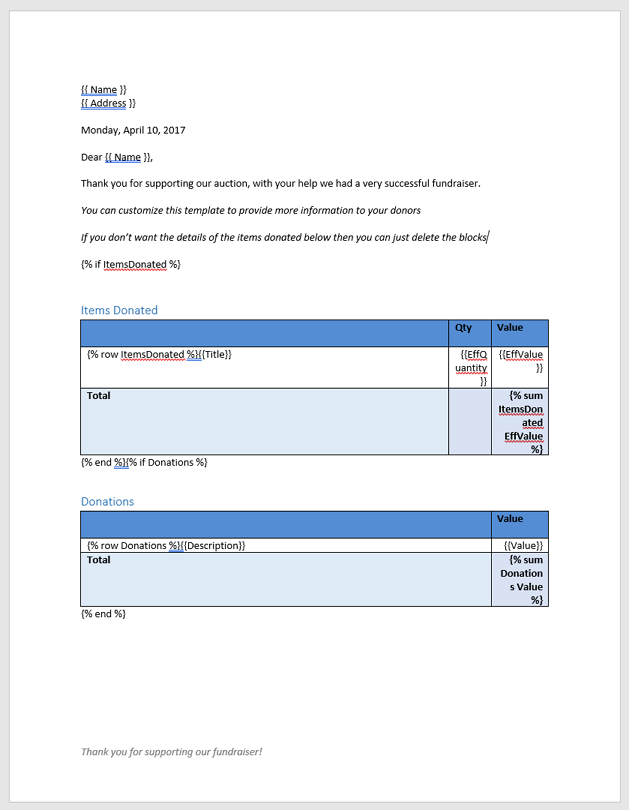
The default Thank you letter template.
Save the file on your computer.
Back on the Word Templates page, with Donor Receipt still selected, click Upload New Template in the sidebar. Select your file and click Upload.
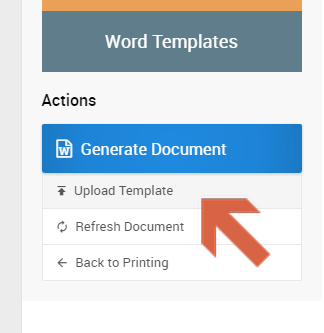
An example from a demonstration event.
Select your template in the Word template list.
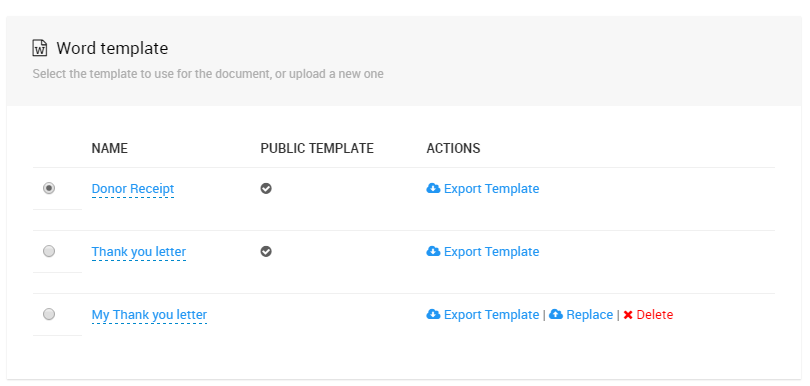
An example from a demonstration event.
Choose the Item Donors to include, then click Generate Document.
Update Your Template
To change your template, edit the file on your computer, then click Replace beside your template and select the updated file.

An example from a demonstration event.