
Worked examples showing how maximum bidding plays out in practice — including competing bids and bid increment edge cases.
Maximum bidding works similarly to proxy bidding on sites like eBay — the platform bids on a guest's behalf up to their stated maximum. See Maximum Bidding for setup details and rules.
Basic Maximum Bidding
A Luxury Caribbean Cruise is open for bidding with a starting bid of $2,000 and maximum bidding enabled.
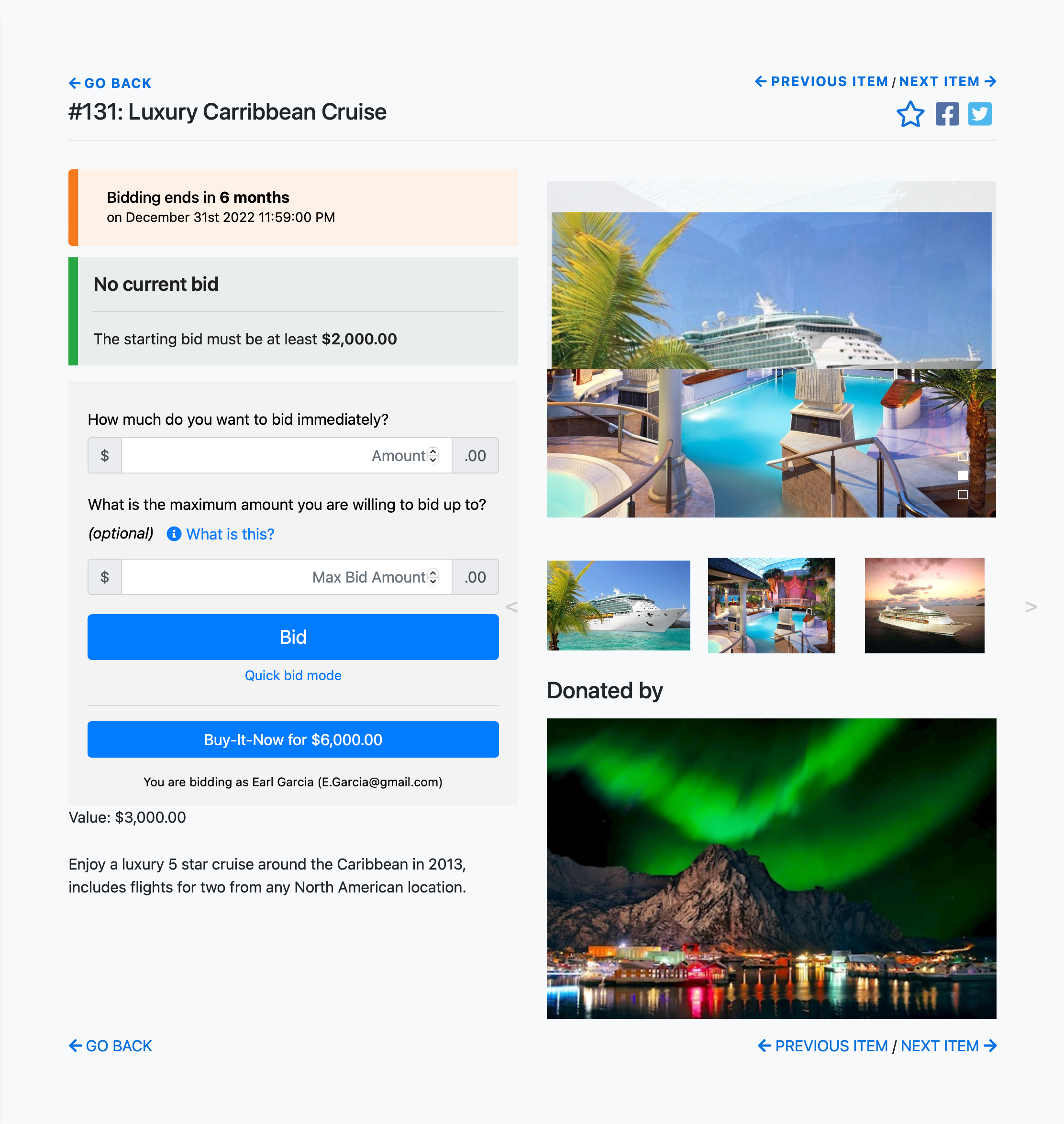
In this example, the item has a current starting bid of $2,000.
Bidder 1 Places a Maximum Bid
Bidder 1 is willing to pay up to $4,000. They enter a bid of $2,000 and set a Maximum Bid of $4,000.
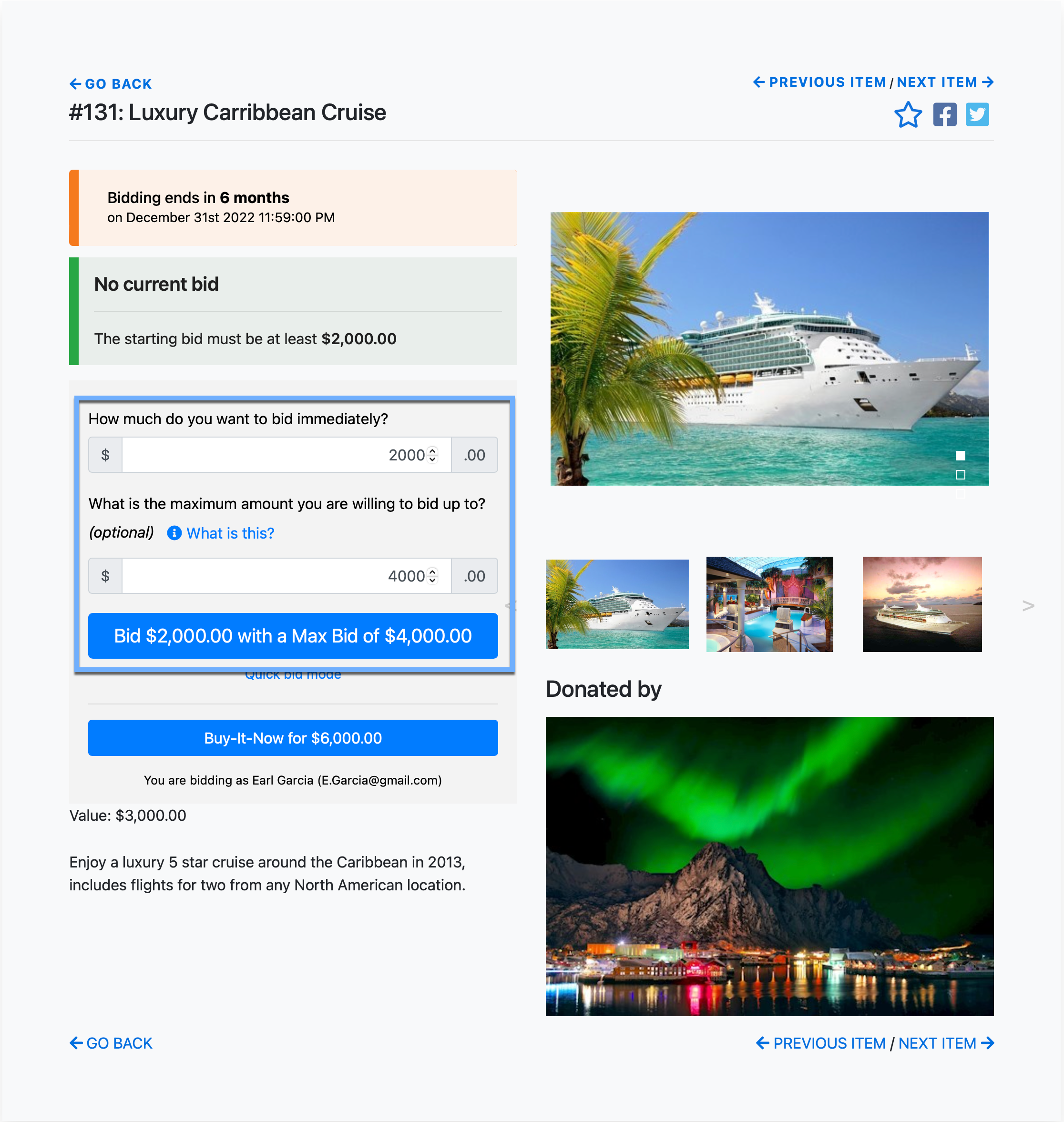
The Bid button updates to reflect both amounts. After clicking it, a confirmation window appears.
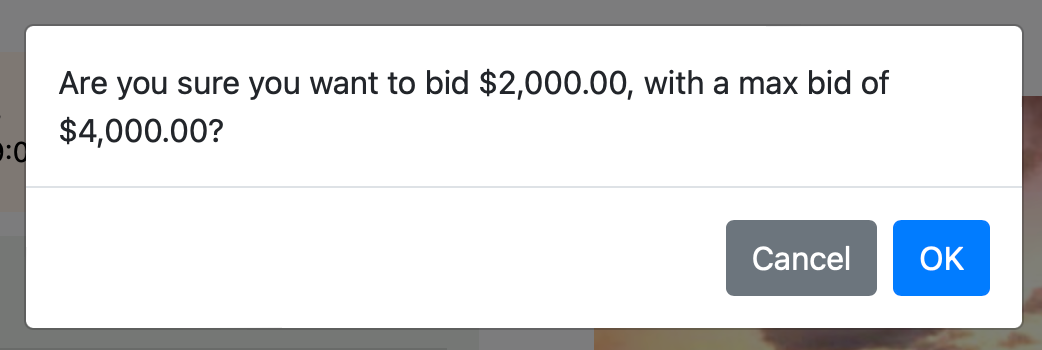
Once confirmed, the item shows $2,000 as the current high bid. Auctria will raise Bidder 1's bid automatically — up to $4,000 — if needed.

Maximum bid is private
The maximum bid amount is only visible to the bidder who placed it. Other guests see only the current bid.
Bidder 2 Tries to Outbid
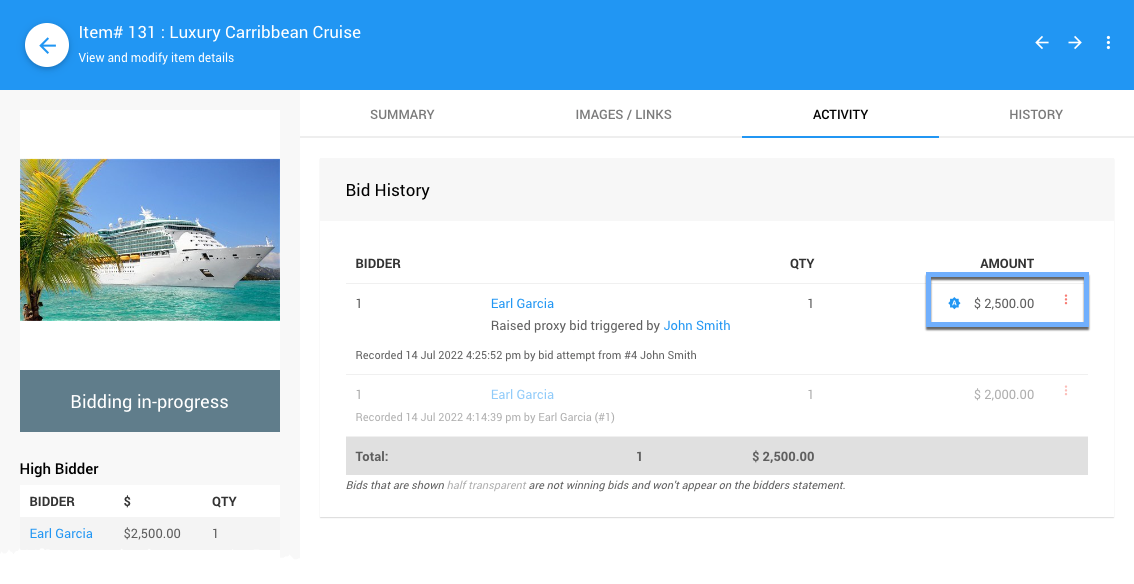
Bidder 2 bids $2,500. Because Bidder 1 has a maximum bid of $4,000 in place, this bid fails. Auctria automatically raises Bidder 1's bid to $2,500, and the new minimum becomes $2,600. Bidder 2 sees an Out Bid notification.
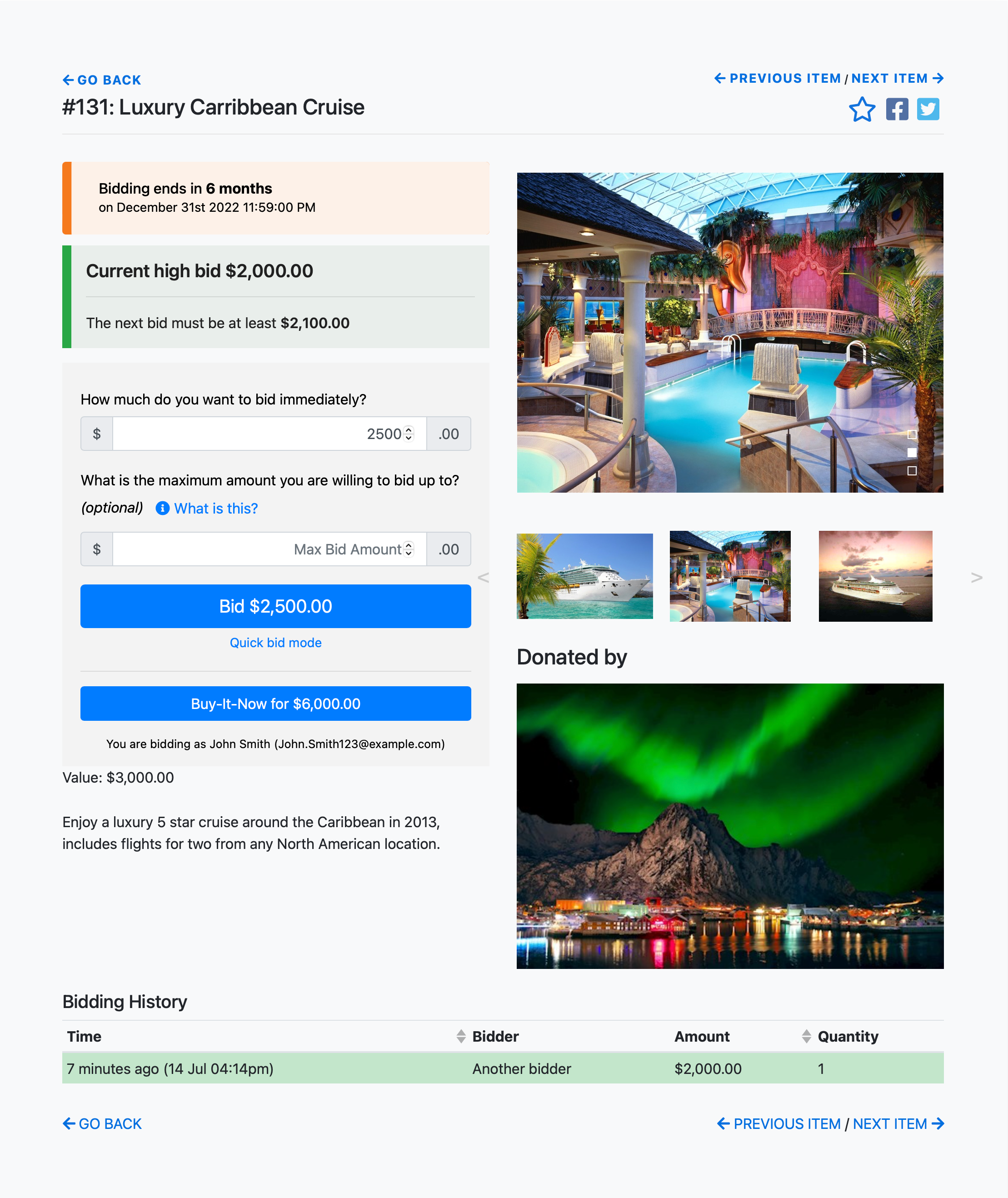
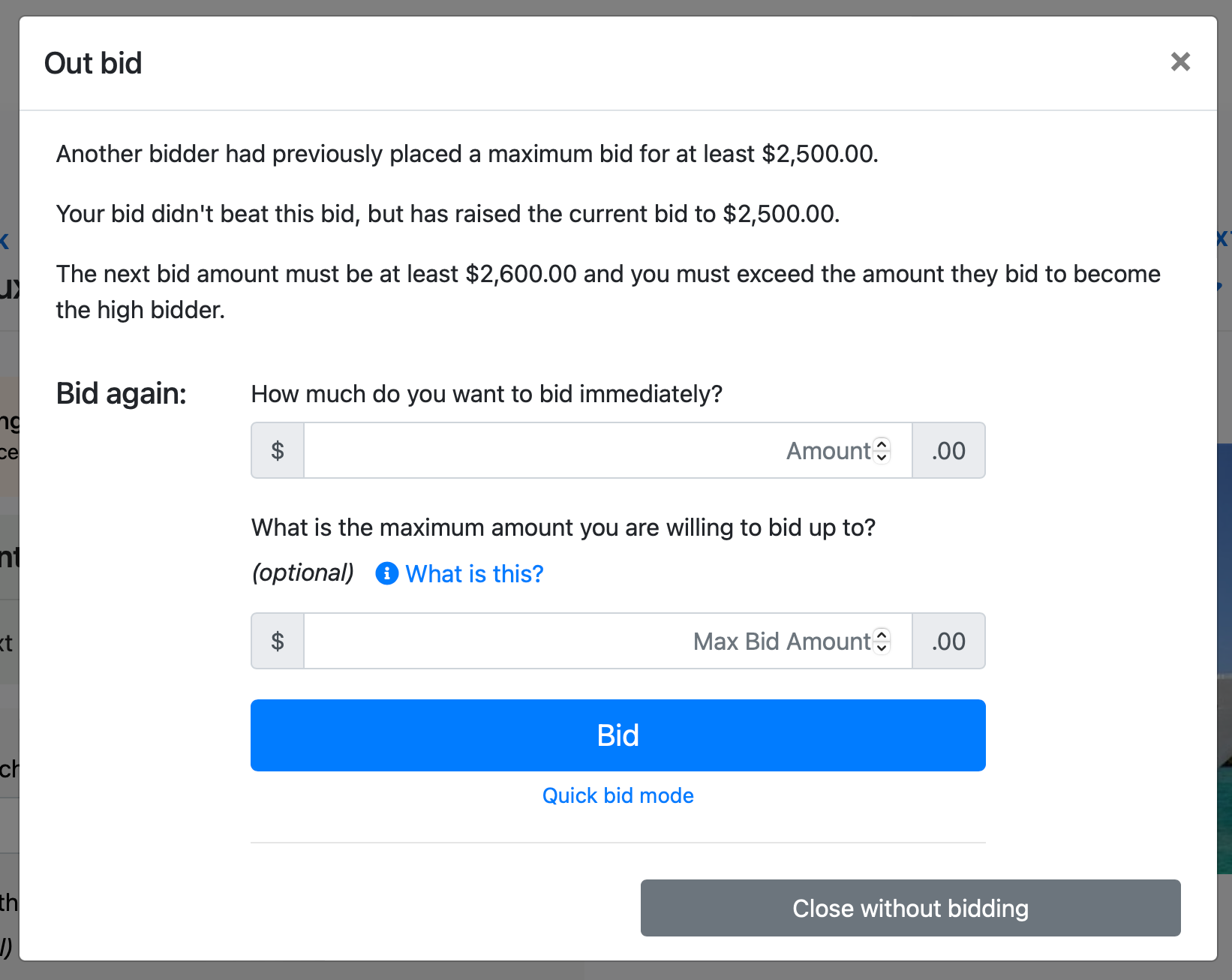
The pop-up confirms that a maximum bid was in place. Bidder 2 can place a new bid from here or close the window.
Bidder 1's My Account View
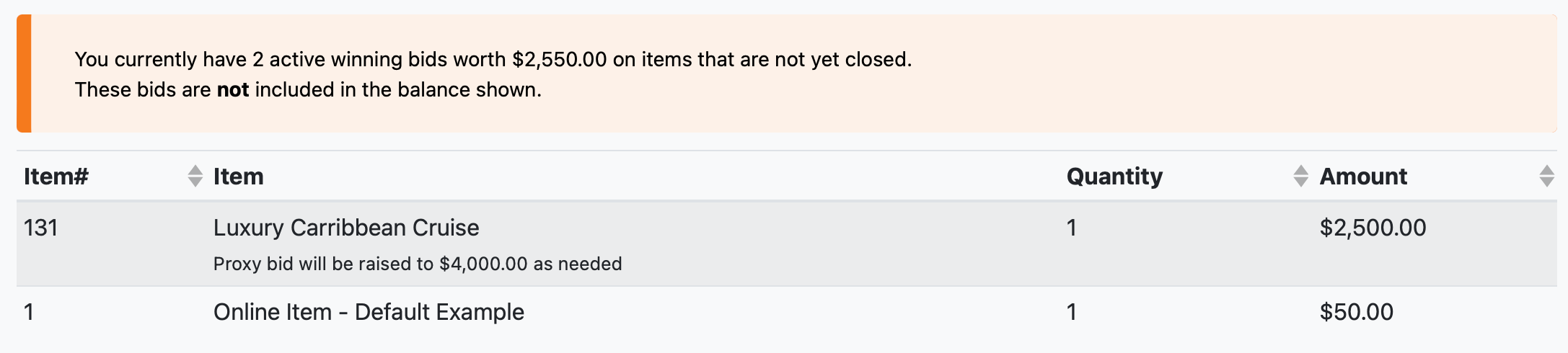
From their My Account page, Bidder 1 can see their current high bid and their maximum bid amount for open items.
Bidder 2 Returns
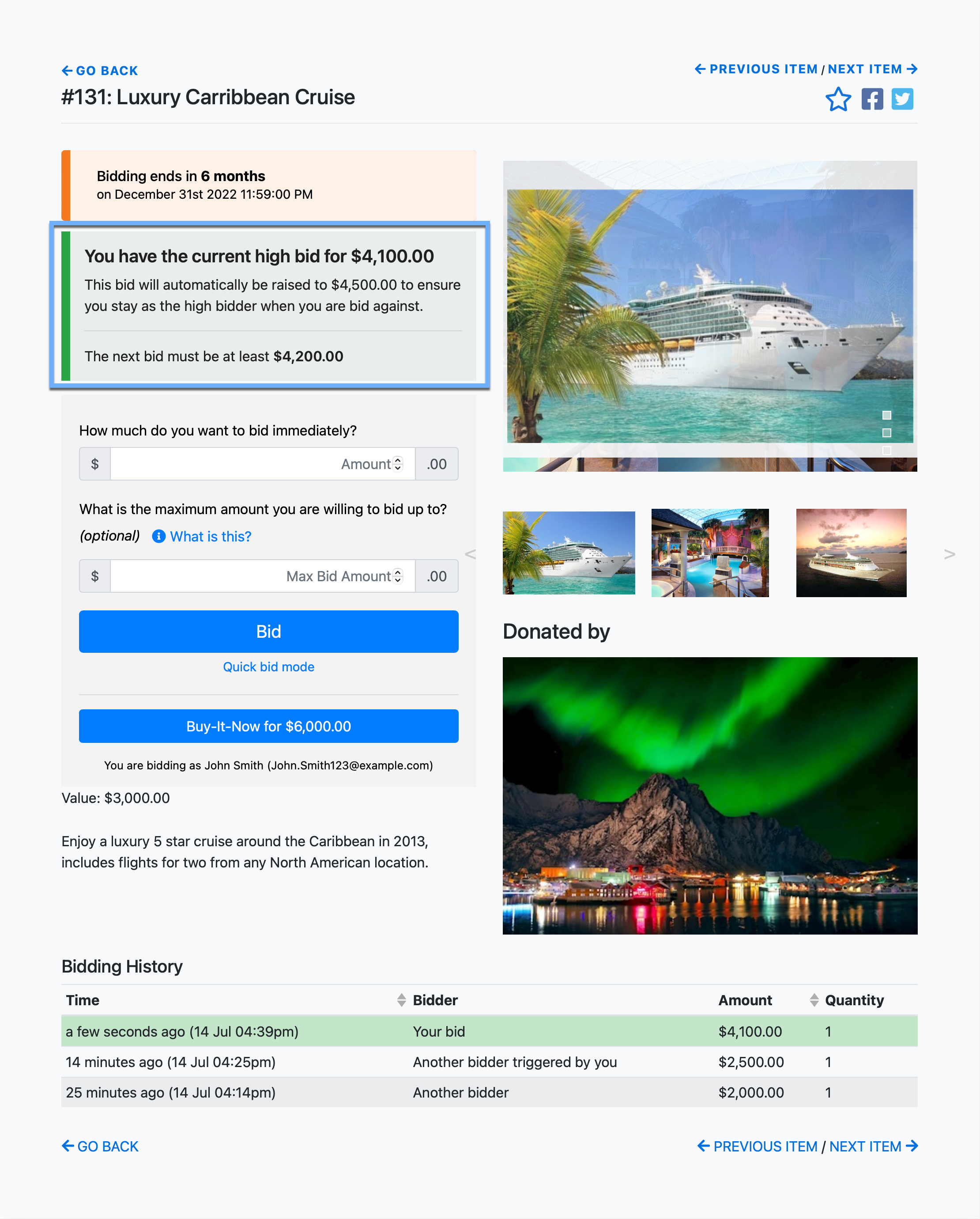
Bidder 2 decides to bid $4,500 with a maximum of $4,500. This exceeds Bidder 1's $4,000 maximum. Bidder 2 wins — at $4,100, the minimum amount needed to beat Bidder 1's maximum.

Here's the full sequence at a glance:
| Action | Current Bid | Winning Bidder |
|---|---|---|
| Bidder 1 bids $2,000 (max $4,000) | $2,000 | Bidder 1 |
| Bidder 2 bids $2,500 | $2,500 | Bidder 1 (max bid absorbs) |
| Bidder 2 bids $4,500 (max $4,500) | $4,100 | Bidder 2 |
Maximum Bidding With Bid Increments
This example illustrates an edge case that can occur when a maximum bid interacts with bid increments.
Paddle #31 places a bid of $571.52 on an item whose current bid is $450. The bid is accepted because it exceeds the $50 bid increment.
Paddle #53 then bids $550, which raises Paddle #31's bid to $550 and triggers the maximum bid — but Paddle #31's maximum is $571.52, so it maxes out there. Paddle #53 then bids $600, but this falls short: the current high bid is $571.52, and the next valid winning bid must be at least $50 higher — $621.52 or more.
Even though $600 is higher than the $550 visible bid, it isn't enough to beat the maximum bid plus the required increment.
Options for organizers in this situation:
- Record a bid of $600 to Paddle #53 via the Bidding Dashboard, overriding the bid increment warning.
- Edit the winning bid back to $550 (see Edit Bids), so a $600 bid would be accepted in the future.
Requiring exact bid multiples
The Online Bidding settings include a Requires bids to be an exact multiple option. When enabled, guests must bid in exact increments — which prevents the kind of "odd amount" scenario described above.