
Learn how to select several records in an Auctria report and delete them at once.
You can delete records from any table-style report. You need Power User permission to delete records.
Check Your Selection
Make sure only the records you want to delete are selected before you confirm.
Steps
- Open the report with the records you want to delete.
- Tick the checkbox beside each record. To select every record on the page, tick the checkbox at the top left of the list.
- Click Delete. You can use the Delete button below the list, or the Delete icon in the report toolbar.
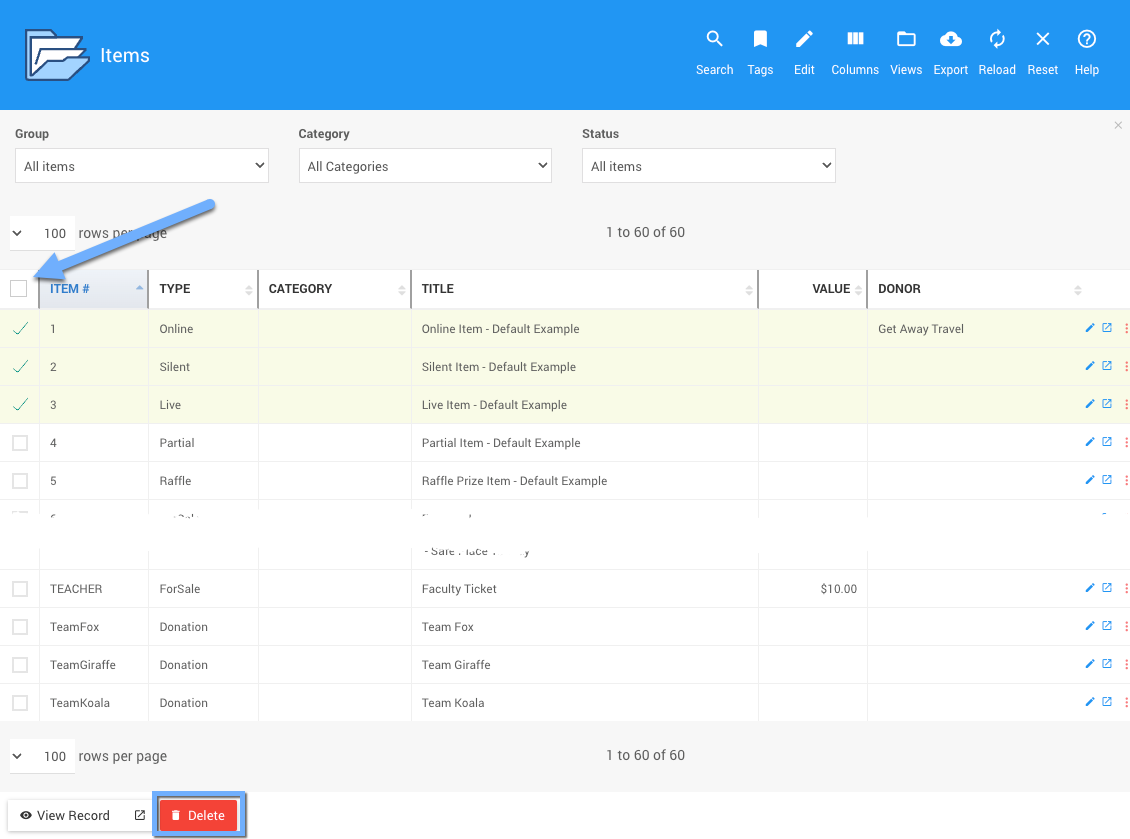
An example from a demonstration event.
- The Delete Records box asks: "Are you sure you want to delete these N records". Confirm to delete them.
Reports With More Than One Page
If the report has more than one page, set Rows per page to All before you select the records. Otherwise, you can only select the records on the page you're viewing.
To see which records were deleted, open the Deletions report on the Other tab. See Other Reports.