
An overview of the row content elements available in the Website Editor.
Row content elements span the full width of a section row. They are designed for structural or high-impact components — like the site header, an item catalog, or a leaderboard — that occupy an entire row rather than sitting inside a column alongside other elements.
Row content elements are listed in the Row Content section of the Website Editor Sidebar. The most commonly used elements appear directly in the sidebar.
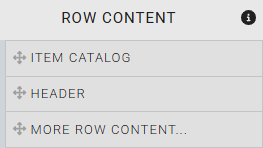
The Row Content options listed in the Website Editor sidebar.
To browse all available elements, drag the More Row Content option onto the page to open the Choose Row window.
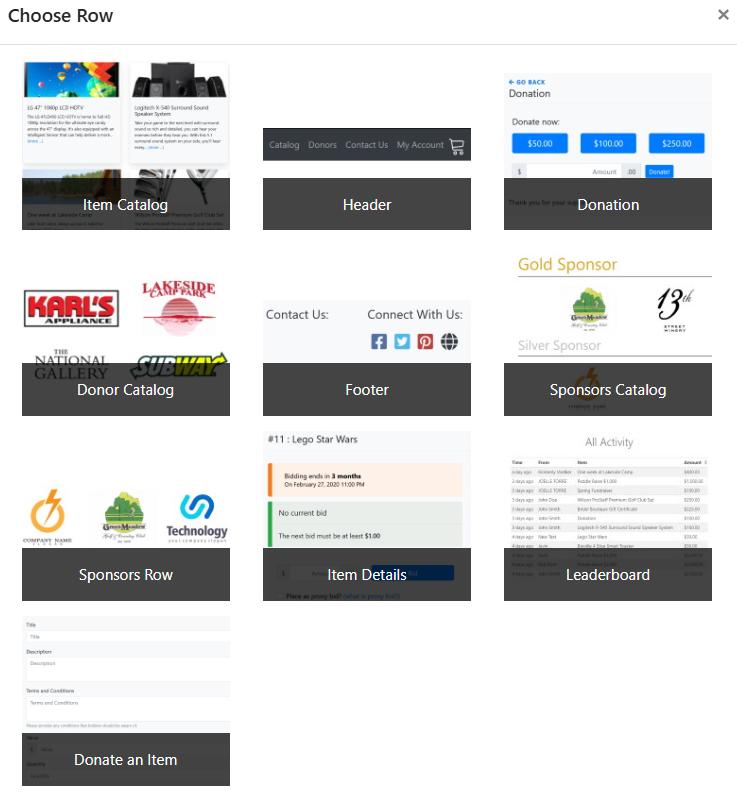
The Choose Row window showing all available row content elements.
Available Row Content Elements
| Element | Description |
|---|---|
| Item Catalog | Displays auction items in a browsable, filterable catalog. Supports filtering by category and item type. |
| Header | The site-wide navigation bar. Displays the event name, logo, and menu entries. Appears by default in the header zone on every page. |
| Donation | A donation form that lets guests make direct monetary contributions from the page. |
| Donor Catalog | Displays a list of donors and their contributions to the event. |
| Footer | The site-wide footer bar. Displays your organization's contact details and share event links by default. Appears in the footer zone on every page. |
| Sponsors Catalog | Displays event sponsors in a browsable catalog format. |
| Sponsors Row | Displays sponsor logos in a horizontal row. Typically used in the header or footer zone. |
| Item Details | Shows the full details of a single auction item. Used on the Item Details system page. |
| Leaderboard | Displays top bidders or donors in ranked order. |
| Donate an Item | Allows guests to submit item donations directly through the website. |