
Learn how to set the default times when your items appear in item catalogs on your event website.
Online Visibility times are optional. If you don't set any, items that are set to show online are visible on your event website.
Visibility only controls whether an item appears. It doesn't open or close the item. To set when guests can bid, buy, or donate, use Online Availability or Online Bidding Settings.
To open it, go to Settings → Online Visibility (in the Advanced group), or click Online Visibility under Online Features on the Website Dashboard.
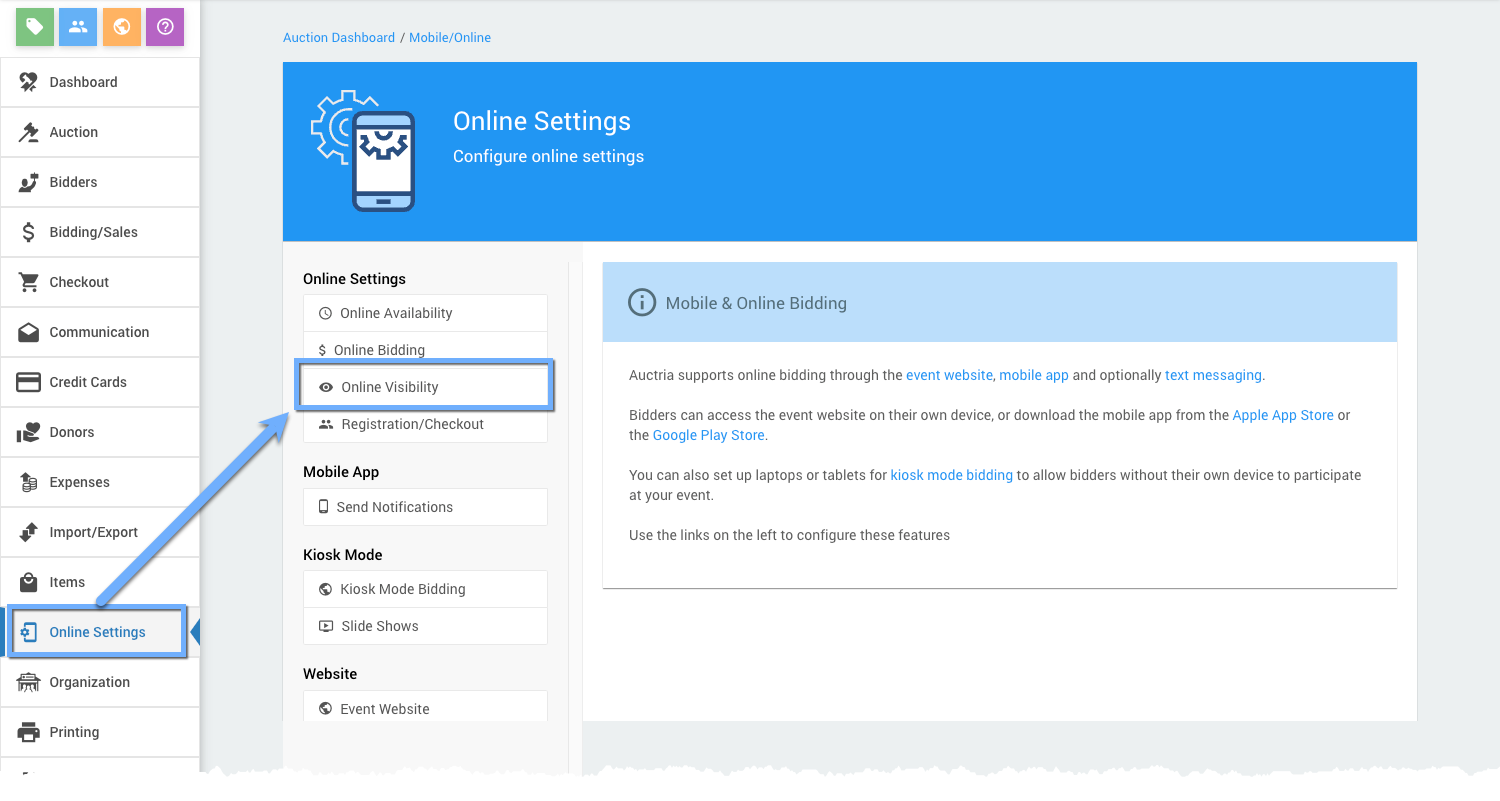
Clicking Online Visibility opens its page.
Online Visibility Page
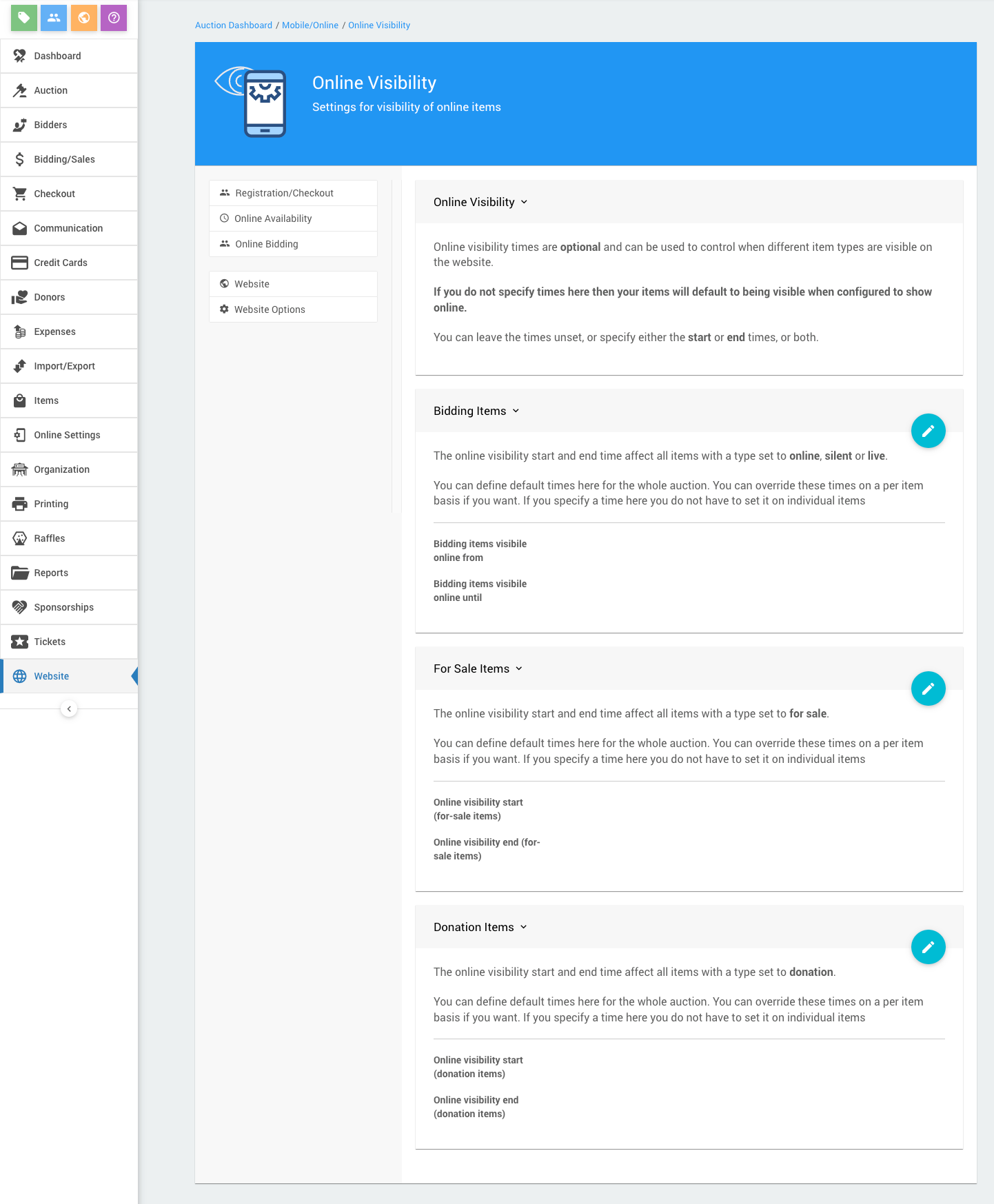
An example Online Visibility page from a demonstration event.
| Section | Applies To |
|---|---|
| Bidding Items | Online, Paper, and Live items |
| For Sale Items | For Sale items |
| Donation Items | Donation items |
Start and end times work independently. You can set just one of them.
Each item can have its own visibility times, which take priority over these defaults. If you set a default here, you don't need to set times on individual items.
Keep bidding times inside visibility times
Auctria doesn't check that an item's bidding times fall inside its visibility times. If an item is hidden while bidding is open, guests can't find it to bid.
Raffle prizes
Raffle prizes don't use these defaults.
Times and timezones
Times on this page show in your organization's timezone. See Timezones.
For how availability, visibility, and bidding times work together, see How Online Times Work.