
Learn how to open or re-open bidding on an individual item from the Item Details page.
For most cases, opening bidding on a single item is straightforward — update the item's Override online bidding ends at time to an appropriate time in the future, then click the Open Bidding button in the Bidding section of the sidebar.
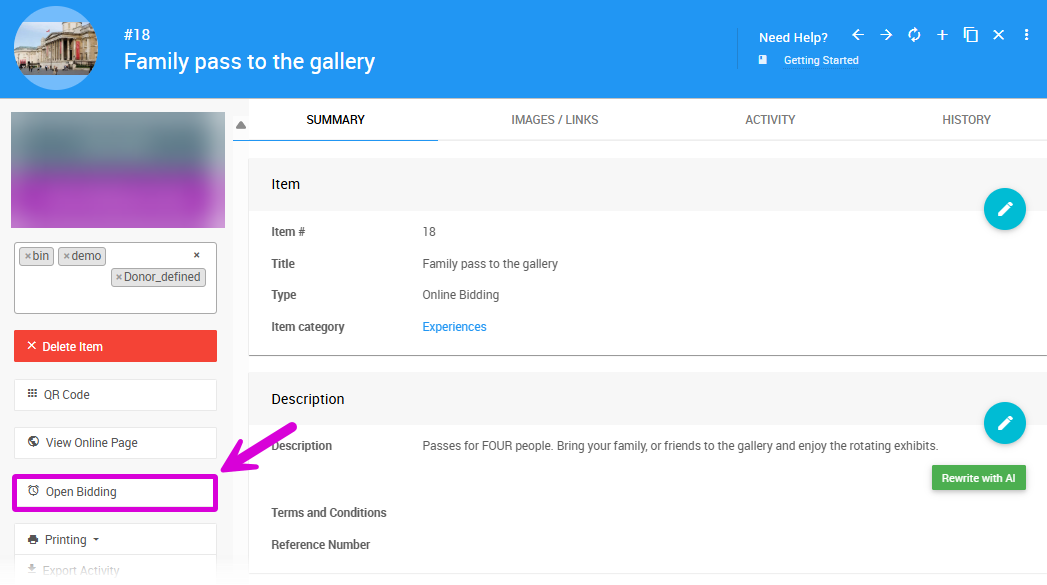
An example from a demonstration event.
If you need more control — for example, when re-opening an item after it has already been sold — review the settings below to make sure everything is configured correctly before opening bidding.
Opening Bidding for Multiple Items
If you need to open bidding on several items at once, the Choose Items approach is more efficient than updating items individually. See Open/Close Bidding for more details.
Item Type
The item Type only needs to change if you want to alter how the item is bid on. In most cases this can be left as-is.
See Item Types for more information.
Availability
If the item simply didn't sell, you generally won't need to adjust the Availability settings. Review these if the item's circumstances have changed.
| Field | Description |
|---|---|
| Quantity | Update this if the number of available items has changed since the item was last open. |
| Allow Multiple Winners | Enable this if the item should now be open to more than one winner. See Multiple Winners for more details. |
Online Bidding
The Online Bidding settings are the most important to review when opening or re-opening an item.
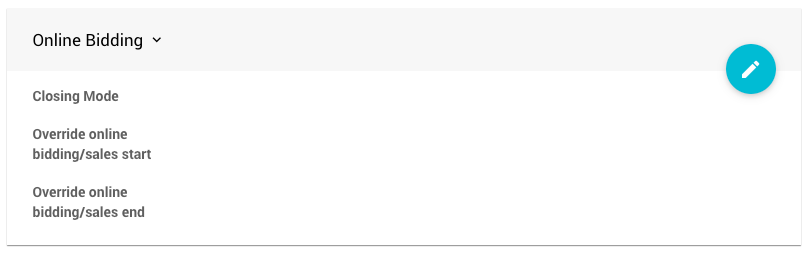
An example from a demonstration event.
| Field | Description |
|---|---|
| Closing Mode | Items retain their closing mode by default. For Online items using Timed mode, it is especially important to set the bidding end time correctly, as the item will close automatically when that time is reached. |
| Override online bidding starts at | Optional. Set this if you want to delay when bidding opens on this item. If left blank, the default Online Bidding start time is used. |
| Override online bidding ends at | The most important field to set when re-opening an item. This establishes the new end time for bidding on this specific item. |
Existing Winning Bids
In some cases you may need to remove the current winning bid before re-opening bidding on an item. See How To Remove An In-Progress Bid for more information.