
Learn how to add pre-built content card layouts to your event website using the Content Cards element.
Content Cards are pre-built layout blocks that combine image and text elements into a single styled card. They are available in several style variants and fill the full width of the column they are placed in.
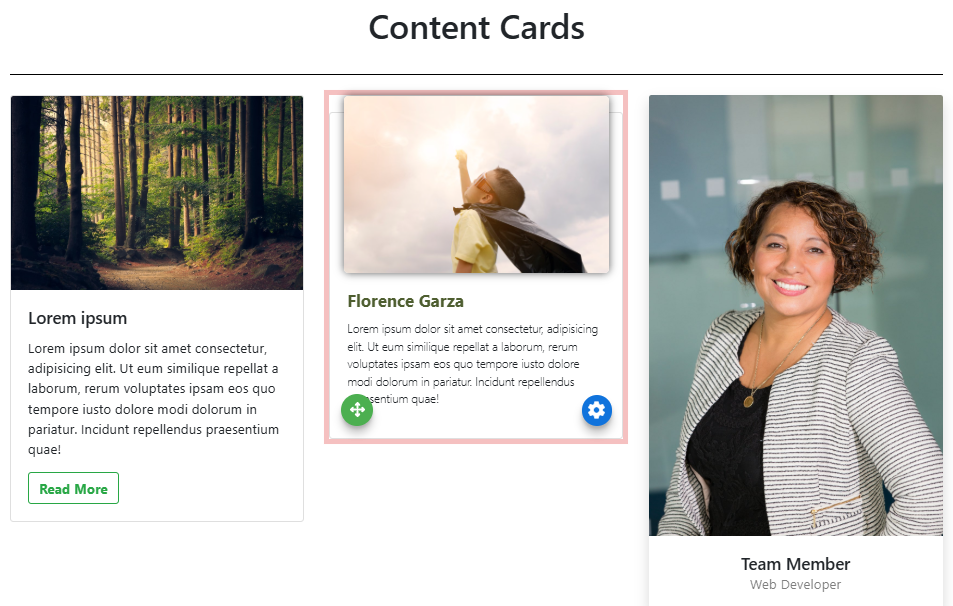
An example of a 3-column layout with all styles of Content Card elements on the event website in Edit mode.
Adding Content Cards to a page
Drag the More Column Content element from the Website Editor Sidebar into a column space to open the Choose Content window. Select the Rich Content tab, then click the Content Card style you want to use.
Editing Content Cards
Each element within a Content Card can be edited individually by double-clicking it — for example, double-clicking an image opens the Choose Image window, and double-clicking text opens the text editor. See Text Element for more details on editing text elements.
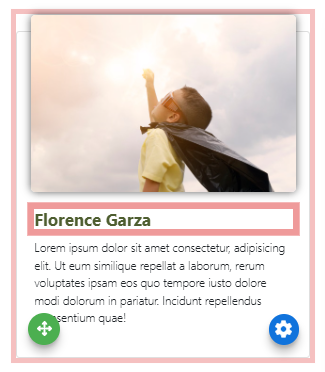
Double-click on any component of a Content Card (like the Heading) to edit it.
Several style variants are available when adding Content Cards. Each variant arranges the image and text elements differently to suit different layout needs.
See Common Element Actions for more details on managing Content Cards.