
Learn how to refund Tickets.
This guide covers refunding a ticket purchase in full.
Open the Participant Details Page
Open the Participant Details page for the ticket purchaser, using the search bar in the page header or the participant list.
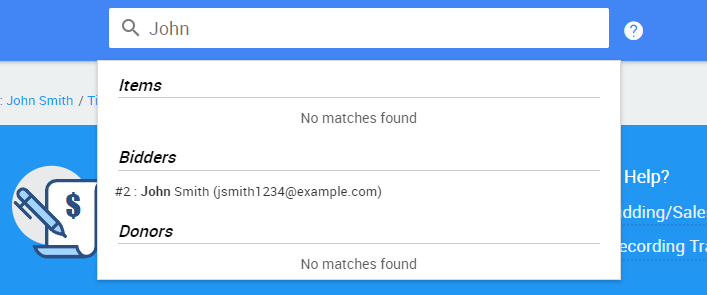
An example from a demonstration event.
See Participant Details for more details.
Select the Activity Tab
Click the Activity tab to see the participant's transactions. The ticket purchase transaction appears under Purchases, and the payment appears separately under Payments.
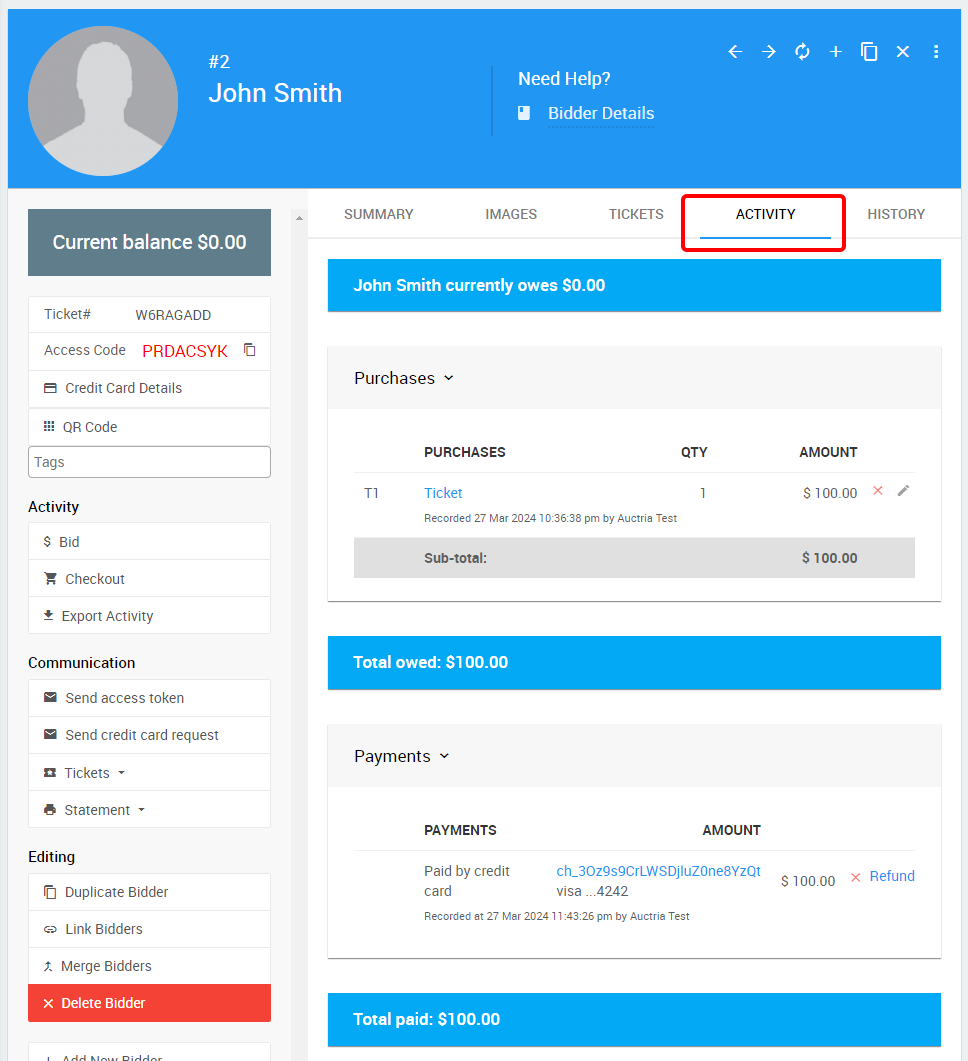
An example from a demonstration event.
Delete the Purchase Record
To fully remove the tickets, delete the purchase record by clicking the X icon next to it and confirming the deletion.
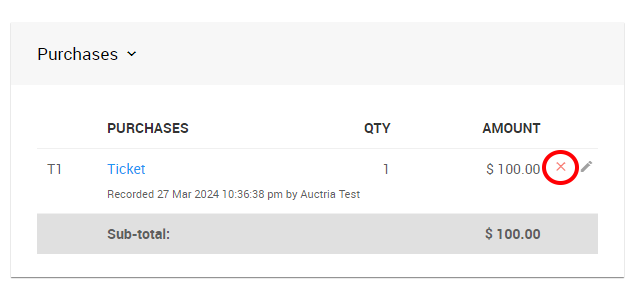
An example from a demonstration event.
Trigger the Refund
Once the purchase is deleted, the participant shows a credit (negative) balance, since the payment is still present.
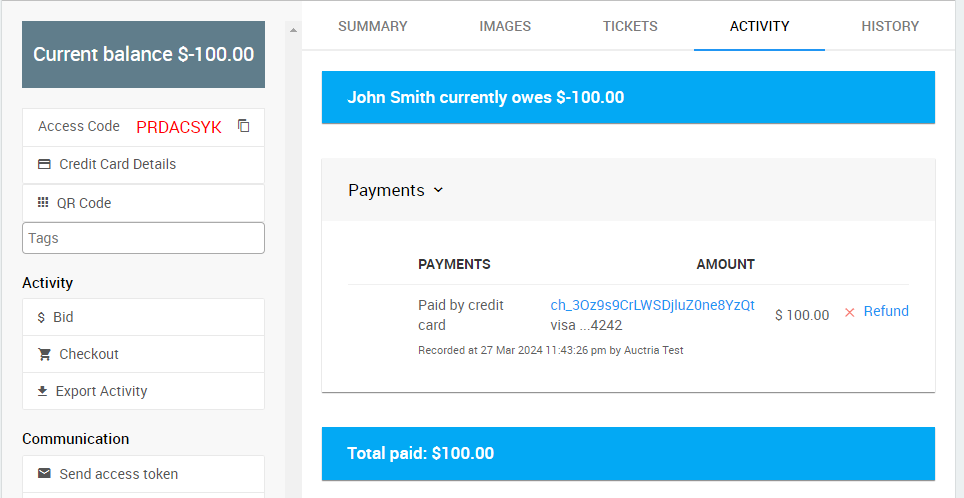
An example from a demonstration event.
To fully refund the credit card charge, click Refund.
Payment wasn't a credit card charge?
If the payment wasn't processed as a credit card charge through Auctria, or was a test charge, you'll see an X next to it instead of a Refund link. Clicking the X removes the payment record, but you'll need to refund the payment method outside of Auctria.
Complete the Refund
To complete the refund, enter yes in the confirmation dialog. See How To Issue A Credit Card Refund In Full for more details.
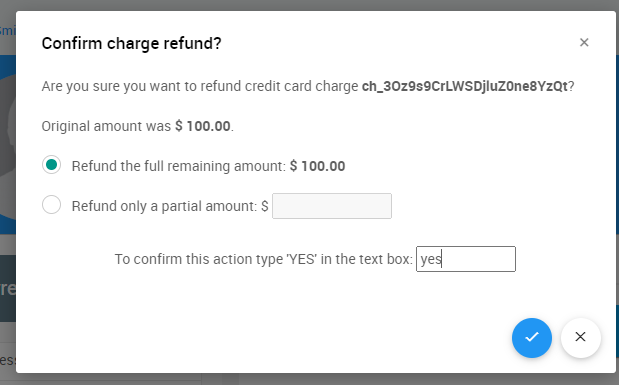
An example from a demonstration event.
Verify the Refund
If the refund was processed correctly, the participant shows a negative payment recorded to offset the original payment, and their overall balance shows as $0.00.
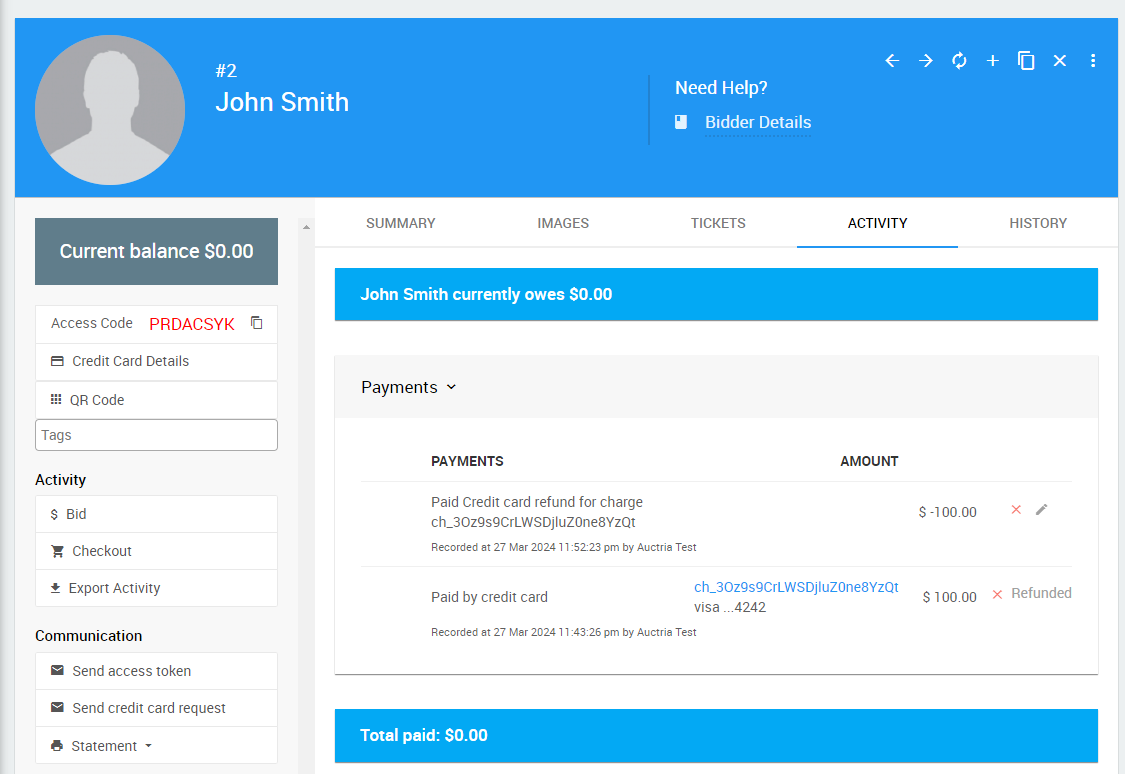
An example from a demonstration event.
Delete Guest Records (Optional)
If the purchaser had multiple tickets assigned to different guests, you can optionally clean up the participant list by deleting these guests. This isn't required, especially if those guests still want to bid in an online event.
If the guests were never fully known and exist as participants named "Guest of...", we recommend deleting them to reduce clutter.
You can delete guests directly from the participant list or from their individual Details pages.