
Quickly add a new expense, which can be used with item tracking.
Steps
- Click Financials in the left sidebar (under Explore), then click Expenses to open the Expenses dashboard.
- Click Add New Expense, or the + button.
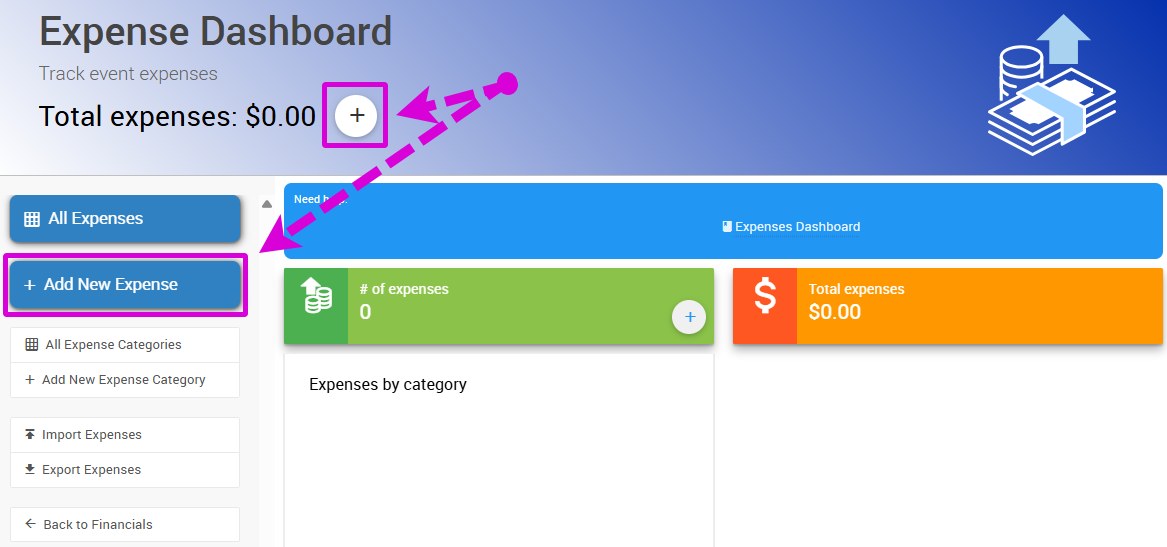
The Add New Expense button on the Expenses dashboard, from a demonstration event.
- Enter a description in the Description field.
- Enter the amount in the Cost field.
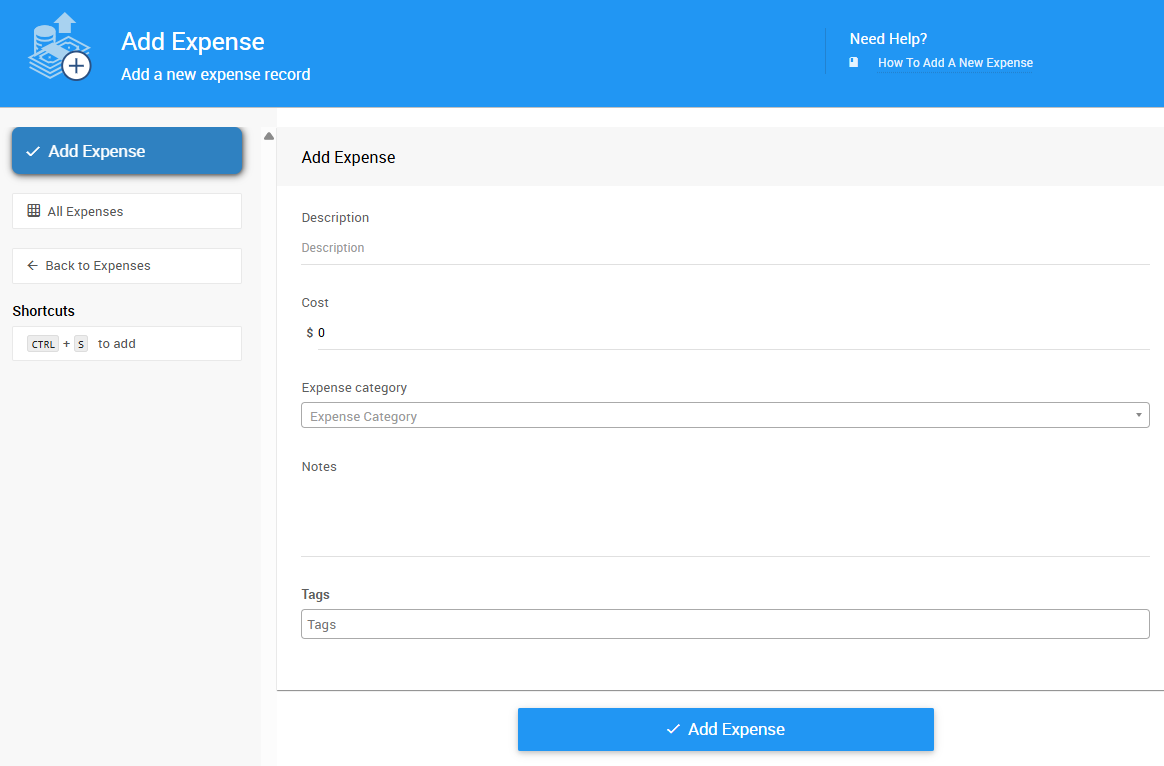
The Description and Cost fields in the Add Expense form, from a demonstration event.
- Click Add Expense to save your new expense record.