
Auctria has three primary dashboard views that can help you run a smooth event.
The Default view, the Day Of view, and the Post Event view.
Default
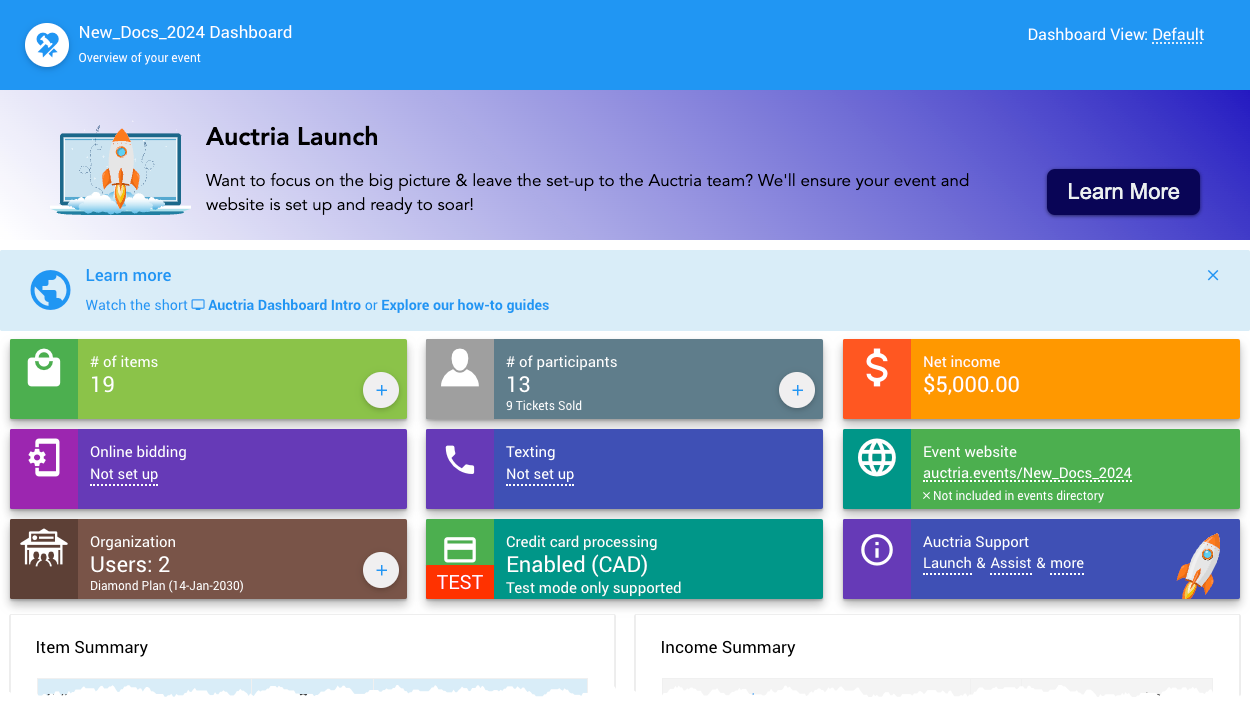
All examples taken from a demonstration event.
The Default Event Dashboard view is what you see when you first start using Auctria. The grid of blocks at the top of the page shows all of your significant areas of interest. See the Default Dashboard page for more information.
Day Of
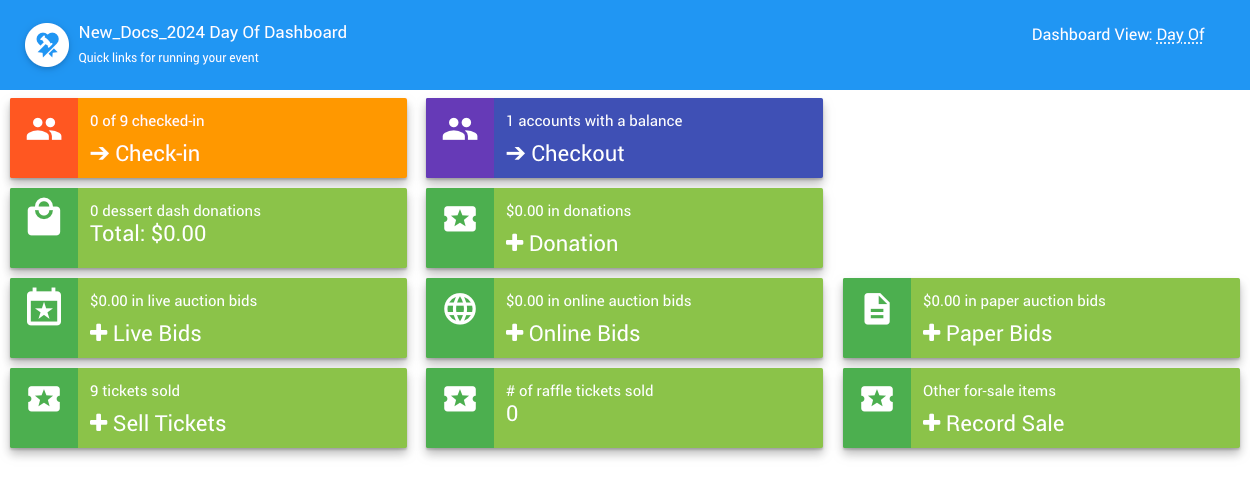
An example from a demonstration event.
The Day Of Event Dashboard view is a concentrated layout that provides the ideal areas of interest for the day of your event.
Post Event
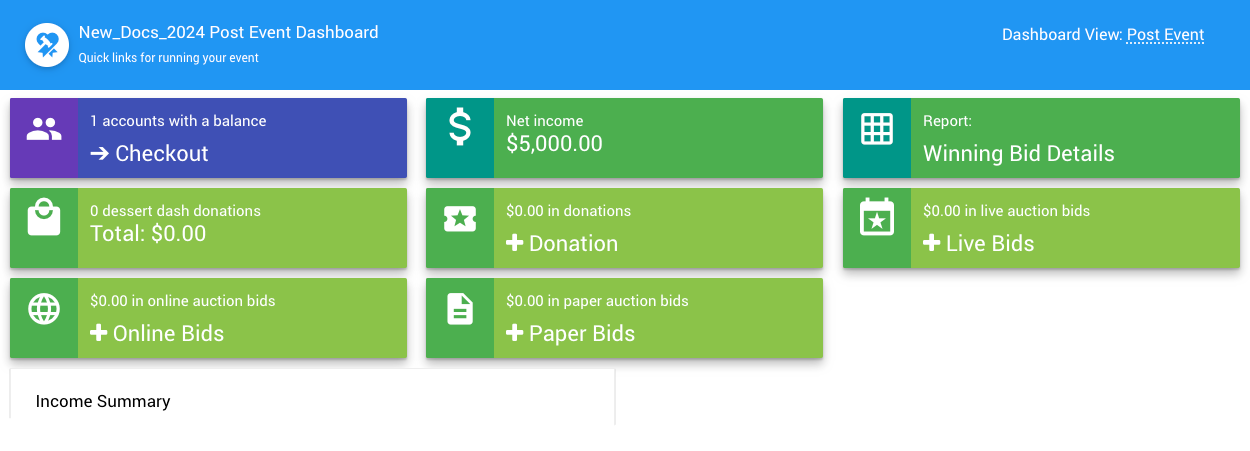
An example from a demonstration event.
The Post Event Event Dashboard view provides a condensed version of the Event Dashboard with a focus on the areas you will use the most after your event is completed. This will be an ideal place to wrap up all the loose ends, finalize your current event, and start thinking about your next one.