
This page covers how to add sponsorship items to your event and the different ways you can sell them — online, in person, or through your admin tools.
Sponsorships are created from the Sponsorships dashboard, with a few extra settings that let you highlight sponsor names and display their logos on your website.
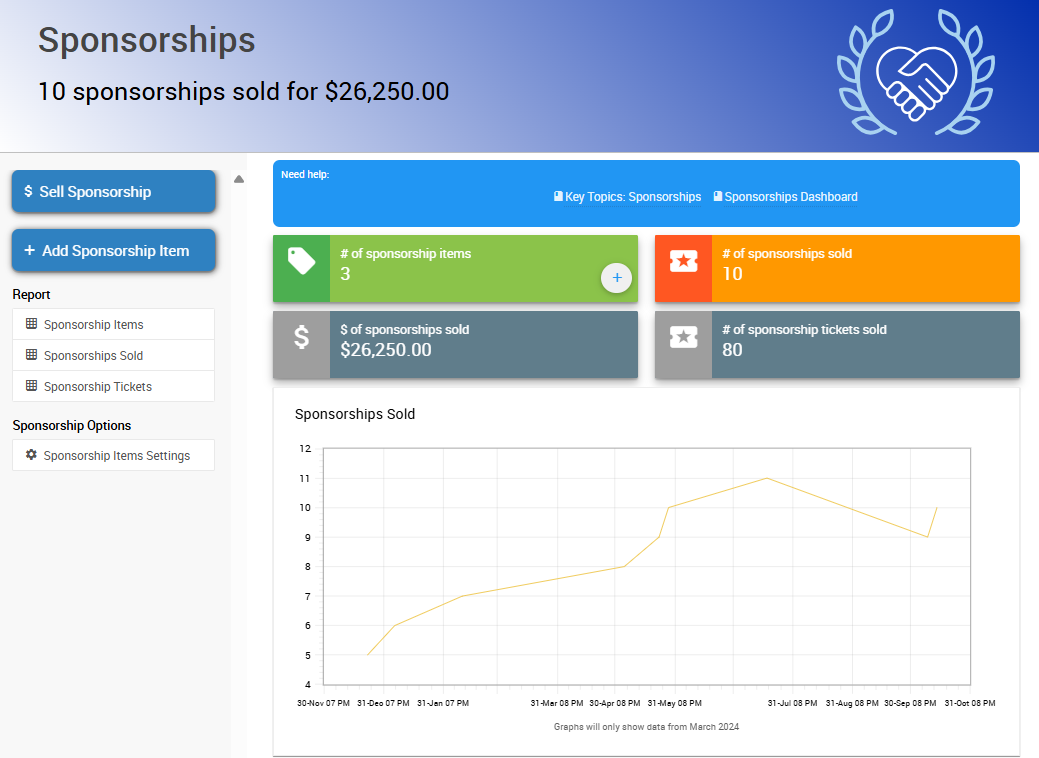
An example Sponsorships Dashboard from a demonstration event.
Add a Sponsorship Item
- Click Sponsorships on the left sidebar.
- Click Add Sponsorship Item.
- Enter the name of your sponsorship item in the Title field.
- Enter sponsorship information into the Description field.
- Enter the value of the sponsorship into the Value field.
- Enter the number of admission tickets included in the sale into the Tickets Per Sale field.
- If you'd like to create a table when the sponsorship item is sold, check Create a table when sold.
- If there's a limited number of sponsorship items available at this tier, enter a value in the Quantity field.
- Click Add Image to add an image to your sponsorship item.
- Click Add Sponsorship Item to complete the process. Your sponsorship item is added to your event.
Once added, your new sponsorship item appears on your event website's Sponsorships page, if you're using a website template.
Sponsorship Item Fields
| Field | Description |
|---|---|
| Title | A clear name for your sponsorship level (e.g. "Gold Sponsor" or "Table Sponsor"). |
| Description | Tells sponsors what's included with this level. |
| Value | The cost of the sponsorship level. |
| Tickets Per Sale | The number of admission tickets included when this sponsorship sells. |
| Create a table when sold | Optional. Automatically creates a table when this item is sold. |
| Quantity | Limits how many of this sponsorship level can be sold. Leave blank for unlimited. |
| Image | The image shown for this sponsorship level in your item catalog. |
Website Templates
If you're using an Auctria website template, these items automatically appear on your Sponsors catalog and Sponsors page once they're set up correctly.
Adding a Sponsor's Logo
The Image field sets the image shown in your item catalog. To display a sponsor's own logo elsewhere on your site (like the Sponsors page), upload it to the sponsor's participant profile instead — see Adding A Sponsor Logo Participant Profile.
Sell Sponsorships
You can sell sponsorships from the Auctria dashboard, on your event website, during check-in, through the Admin App, or by adding one to a bidder's cart like any other for-sale item.
For step-by-step instructions on recording a sale from the dashboard, see How To Sell Sponsorships.
Website Sales
Sponsorships can also be sold directly on your event website.
- Go to Website → Content.
- Add or confirm a Sponsors catalog or Sponsors page is published.
- Visitors can then purchase directly from your public site.
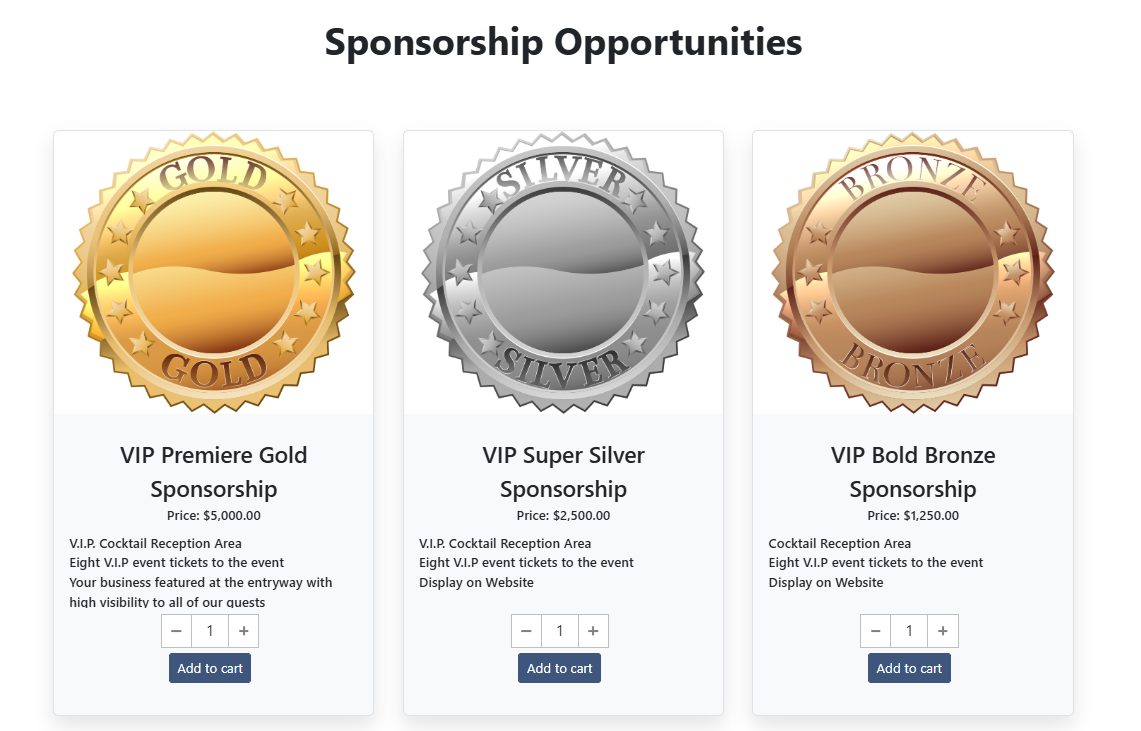
An example of Website Sponsorship Sales from a demonstration event.
Assignment Options
Based on the quantity entered and the number of event admission tickets associated with the sponsorship item, the checkout page lists how many tickets are available to assign to other guests. You can enter guest details there as well.
Admission tickets can be assigned in three ways:
| Option | Result |
|---|---|
| Assigned to the purchaser and another guest | Assigns ticket(s) to the purchaser. Guest tickets are not linked to the purchaser. |
| Assigned to the purchaser and their partner | Assigns a ticket to the purchaser and a ticket to a guest linked to the purchaser (they share a Paddle#). |
| Tickets are assigned to other guests, the purchaser is not attending | Assigns no ticket to the purchaser. You can enter new guest information for all tickets. |
Unique Emails
A purchaser can only assign a single ticket to themselves. All email addresses supplied for tickets in a purchase should be unique where possible. Supplying guest email addresses is optional by default.
What's Next?
- Ready to record a sale? See How To Sell Sponsorships.
- Want to control how sponsors are displayed on your website? See Displaying Sponsors.
- Need a refresher on sponsorships? See Introduction To Sponsorships.