
Learn how to create your own organization after taking part in an event on Auctria.
If you took part in an event on Auctria and want to use it for your own fundraiser, create a new organization. You can use the same email address you used as a participant, or create a new account with an organization email address.
Using a New Email Address?
If you're using a different email address, follow the Account Setup guide instead.
Confirmed Email Required
Create New Organization is only available once your email address is confirmed.
Steps
- Go to the event website where you're registered as a participant.
- Scroll to the bottom of the page and click your email address in the bottom right corner.
- Click Your Profile. Your dashboard profile opens.
- Click Create New Organization.
- Follow the prompts to set up your new organization.

Click your email address to open the menu.
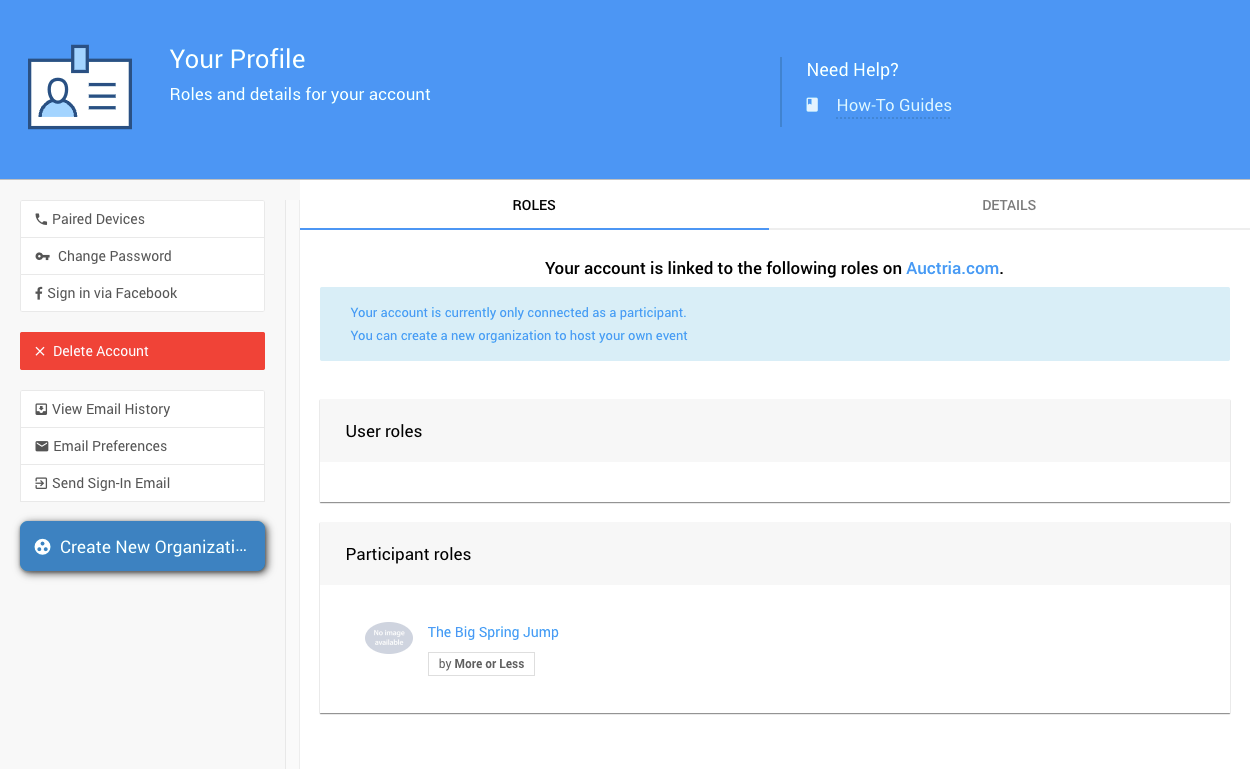
The Your Profile option.
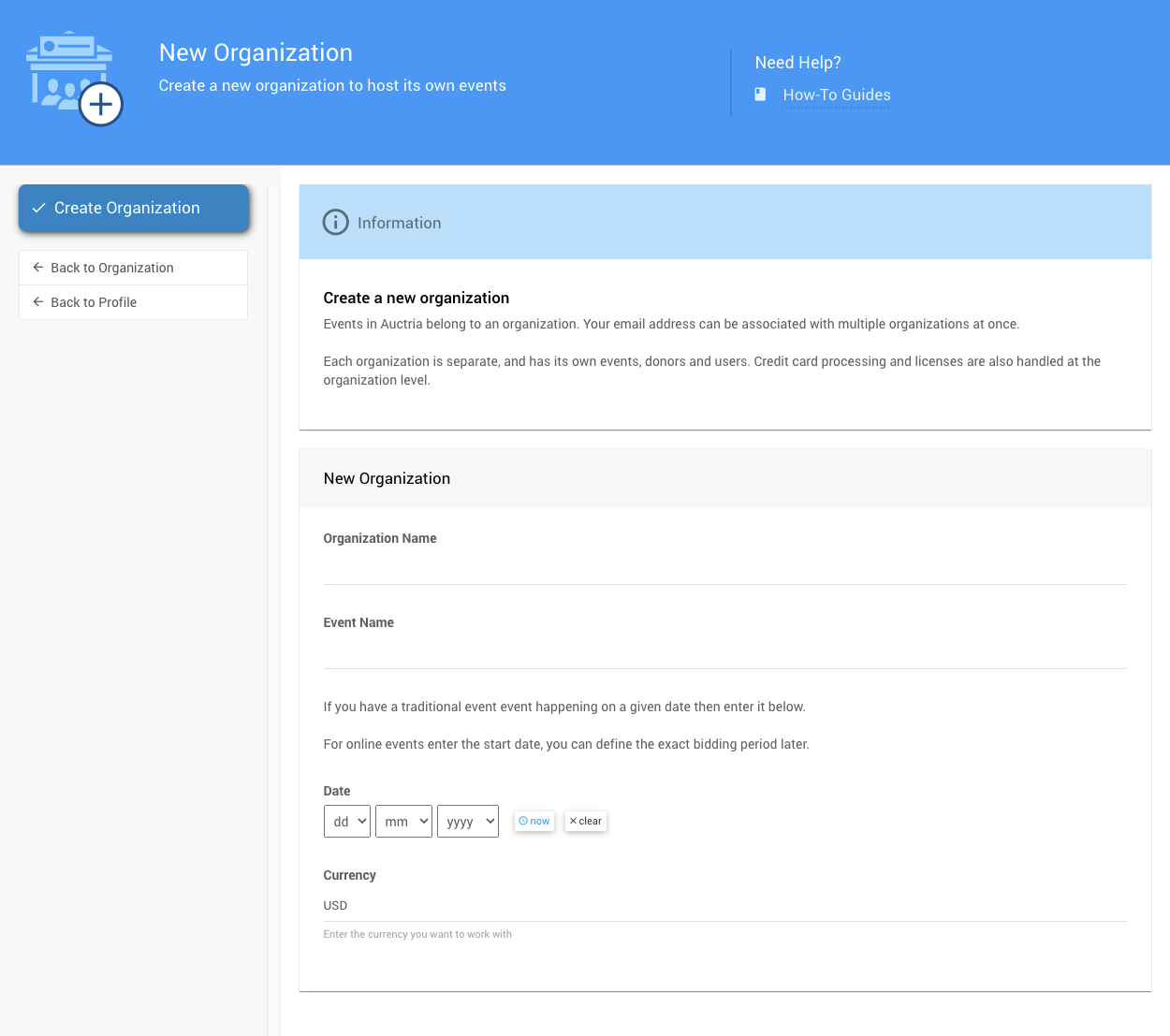
The Create New Organization option.
For help setting up your new organization, see the Account Setup guide.