
Learn how to print bid amounts on every row of your bid sheets, based on each item's starting bid and bid increment.
By default, only the first row of a bid sheet shows an amount: the item's starting bid. With All bids, every row is filled in, adding the bid increment each time. If the item has a Buy-It-Now price, the amounts stop there.
Items Need a Starting Bid and Bid Increment
Bid amounts are only filled in for items that have both a Starting Bid and a Bid Increment.
Steps
From the main event dashboard, click Printing → Bid Sheets, then click the Options tab.
Click the pencil icon on the Content panel.
Set Include bid values to All bids.
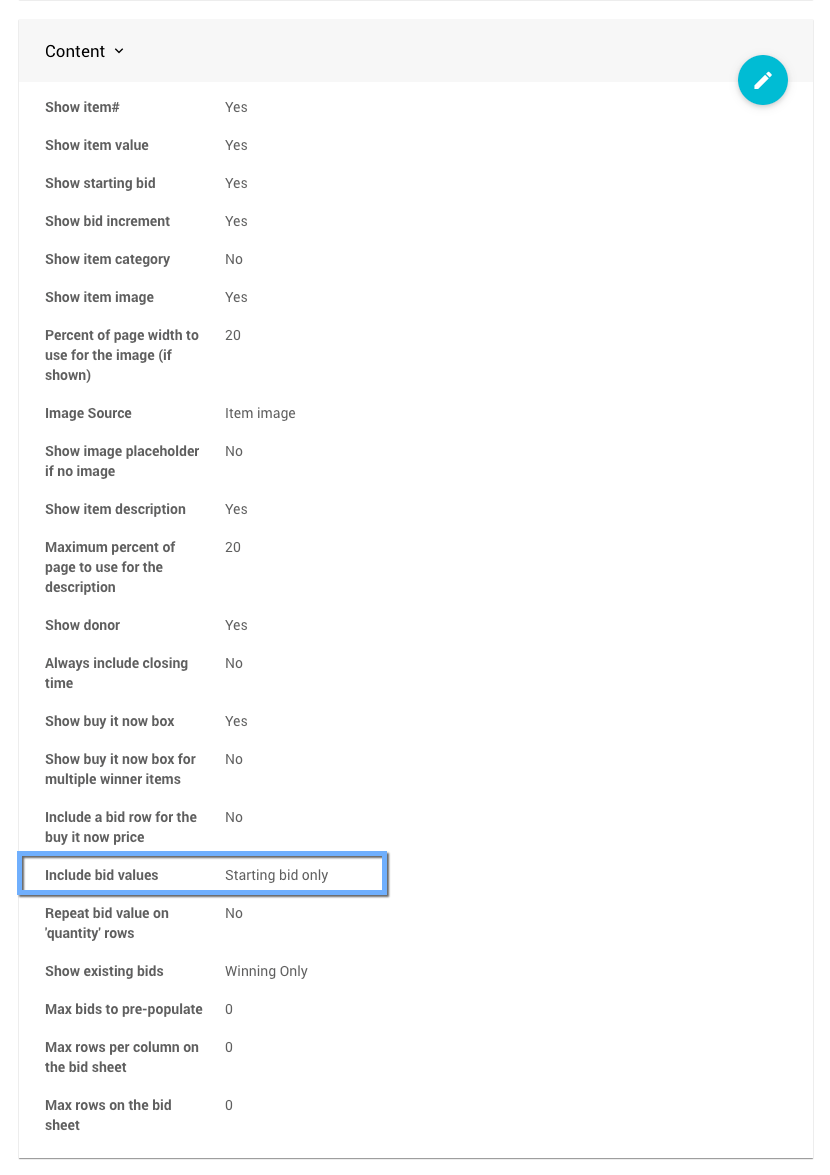
An example Content panel from a demonstration event.
Optional: to fill only some rows, enter a number in Max bids to pre-populate.
0fills all rows.Click the checkmark to save.
Include Bid Values Options
| Option | Description |
|---|---|
| Starting bid only | Only the first row shows the item's starting bid. This is the default. |
| All bids | Every row is filled in, adding the bid increment each time. |
| None | No amounts are printed. |

A bid sheet using Starting bid only.

A bid sheet using All bids.