
The Bidding Dashboard is where you record bids for your Live, Online and Paper auction items and see the total of the winning bids for each auction.
To open it, go to Actions → Bidding in the left sidebar of the event dashboard.
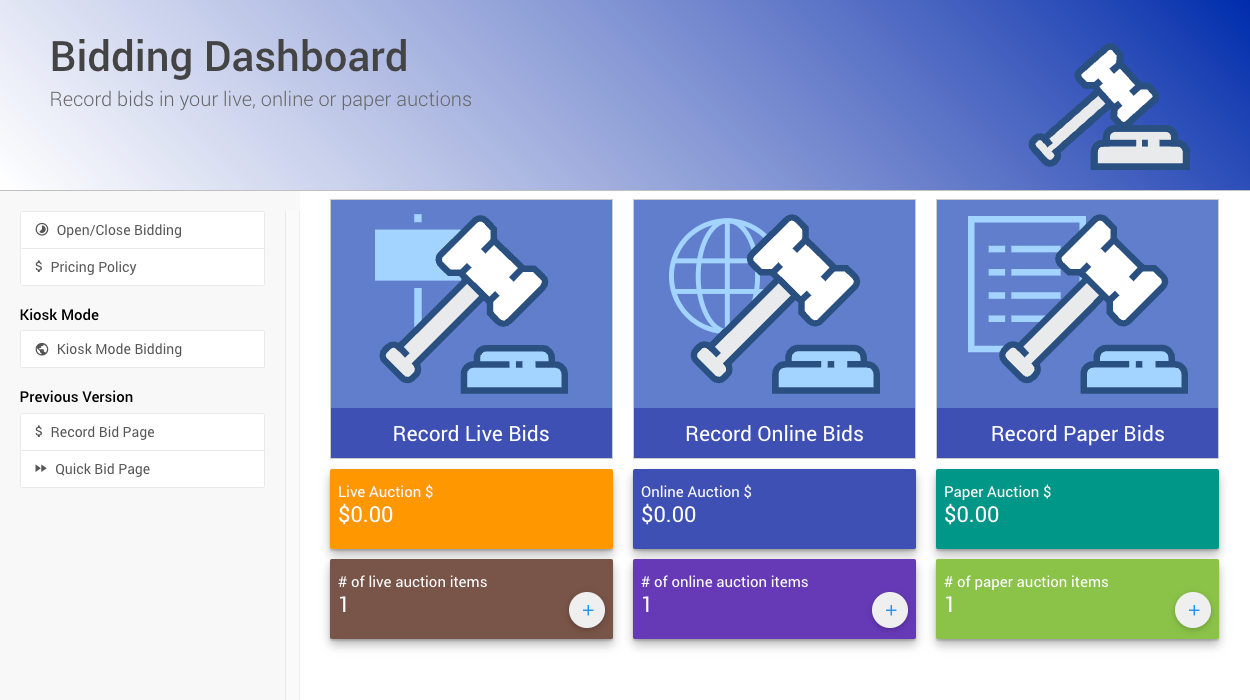
The Bidding Dashboard from a demonstration event.
Biddable Items are item types that participants can place bids on. Auctria supports three biddable item types:
| Item Type | Description |
|---|---|
| Online Bidding | Bids are placed electronically. Bidding closes automatically at the end of the configured Online Bidding Time. |
| Paper Bidding | Final bids are recorded from paper bid sheets. Items can accept online pre-event bids but will not close automatically by default. |
| Live Bidding | Items auctioned in person, typically led by an auctioneer or emcee. Final bids are recorded manually at the event. |
See Item Types for more information.
Auction Columns
The dashboard shows a column for each auction type your event has items for. If you haven't added any auction items yet, the page shows a No Auction Items Defined banner instead.
Each column has three cards:
| Card | What It Does |
|---|---|
| Record … Bids | Opens the bid recording page for that auction type. |
| $ total | Shows the total of the winning bids for that auction type. |
| # of … auction items | Shows how many items are in that auction. Click + to add an item. |
See the page for each auction type:
Sidebar
The sidebar links to the other pages you use to manage bidding.
| Link | What It Does |
|---|---|
| Open/Close Bidding | Opens or closes bidding on your items. See Open/Close Bidding. |
| Pricing Policy | Updates item prices with a global calculation. See Pricing Policy. |
| Kiosk Mode Bidding | Under the Kiosk Mode heading. Creates or manages your Kiosk Mode website. See Kiosk Mode Bidding Setup. |
| Record Bid Page and Quick Bid Page | Under the Previous Version heading. The older bid recording pages. |
Use The Current Bid Recording Pages
Use the bid recording pages on the Bidding Dashboard rather than the Previous Version pages. The User Guide describes the Bidding Dashboard pages.
Managing Recorded Bids
After a bid is recorded, you can change it from the participant's or the item's Activity tab.
- Editing Transactions covers every option: edit, transfer, split, promote, demote and delete.
- Edit Bids
- How To Promote Or Demote Bids
- Remove A Maximum Bid