
Learn how to sell sponsorships from the Auctria dashboard.
Sell a Sponsorship
Select the Sponsorship and Purchaser
- Click Sponsorships on the left sidebar.
- Click Sell Sponsorships.
- Select the sponsorship item you want to sell.
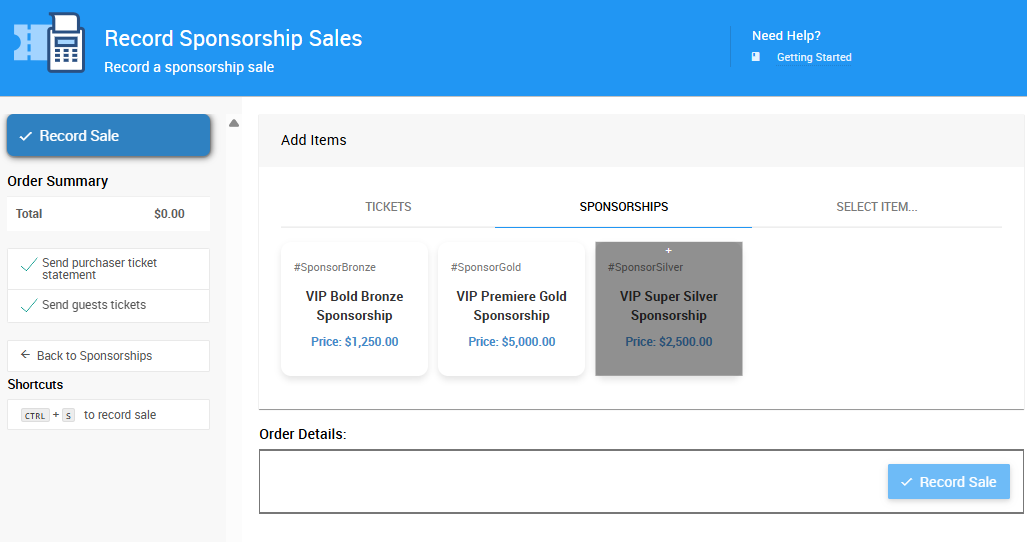
An example from a demonstration event.
- Choose the purchaser. Type their name into Choose Participant if they're already in the system, or click Add New Purchaser to add them, then select their name from the drop-down list.
- Choose whether the sponsorship is being sold to an Individual or a Company.
Assign Tickets
- Choose how to assign the tickets included in this purchase.
Ticket Assignment Options
See Assignment Options for details on what each assignment option does.
- Click one of the A Guest boxes to add guest information to a ticket.
- For a guest already in the Auctria system, click Select existing guest, then type their name and choose it from the drop-down list.
- For a new guest, click Add a new guest and enter their details in the form provided.
- If Meal Choices are enabled for your event, select a meal choice on this form.
- Click Save to complete the guest detail entry.
Complete the Sale
- Select the payment method using the tabs in the Payment Details section. A tab for a purchaser's registered credit card appears here automatically, if one is on file.
- Click Record Sale to complete the transaction.