
Learn about the system pages that are built into your Auctria event website.
System Pages are required for various features and functions on your event website. They cannot be permanently deleted, but they can be hidden from your site and edited.
Clicking a system page in the Manage Pages window will open the website editor with that page selected for editing.
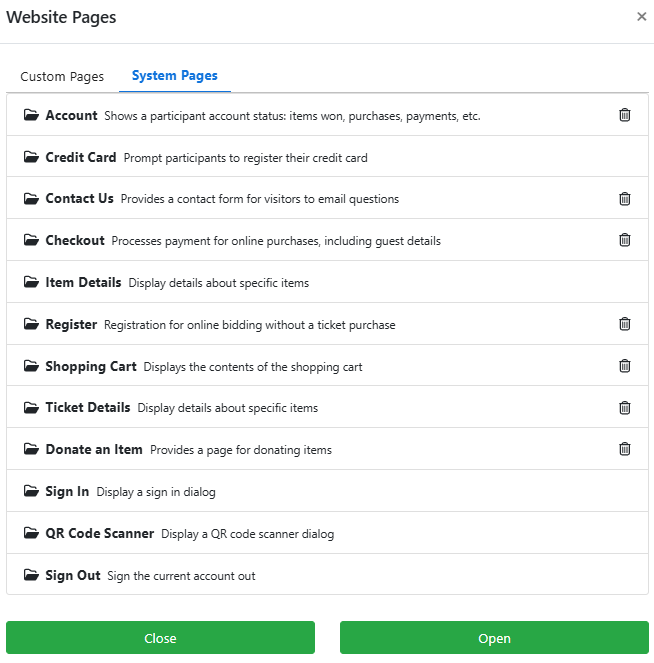
An example from a demonstration event.
| Page | Description |
|---|---|
| Account | Displays a bidder's account status, including items won, purchases, and payments. |
| Credit Card | Prompts participants to register their credit card. |
| Contact Us | Provides a contact form for visitors to email questions to your organization. |
| Checkout | Processes payment for online purchases, including guest details. |
| Item Details | Displays details about a specific item. |
| Register | Allows guests to register for online bidding without a ticket purchase. |
| Shopping Cart | Displays the contents of the shopping cart. |
| Ticket Details | Displays the details for a specific ticket item. |
| Donate an Item | Provides a form for donors to offer items for your event. |
| Sign In | Displays a sign in dialog for guests who are not currently logged in. |
| QR Code Scanner | Displays a QR code scanner dialog. |
| Sign Out | Signs the current account out of the event website and auction dashboard. |
Removing a system page
Clicking the trashcan icon next to a system page will remove it from your website, but not from the Auctria system. Click the entry in the Manage Pages window to add the page back to your site if you have accidentally removed it.