
Learn about setting up Live Auctions in Auctria.
🎤 What is a Live Auction?
Live Auctions bring energy and excitement to your fundraising event! In this format, items are auctioned off one at a time, with bids called out in real-time—usually by an auctioneer, emcee, or host.
Live Auction items use the Live Bidding item type in Auctria.
🛠️ How to Set Up a Live Auction
- Go to your Items dashboard.
- Click Add Item and choose the Live bidding type.
- Enter item details like name, description, fair market value, and any display order or catalog number.
- Save your items, and organize them in the order they’ll appear in the auction.
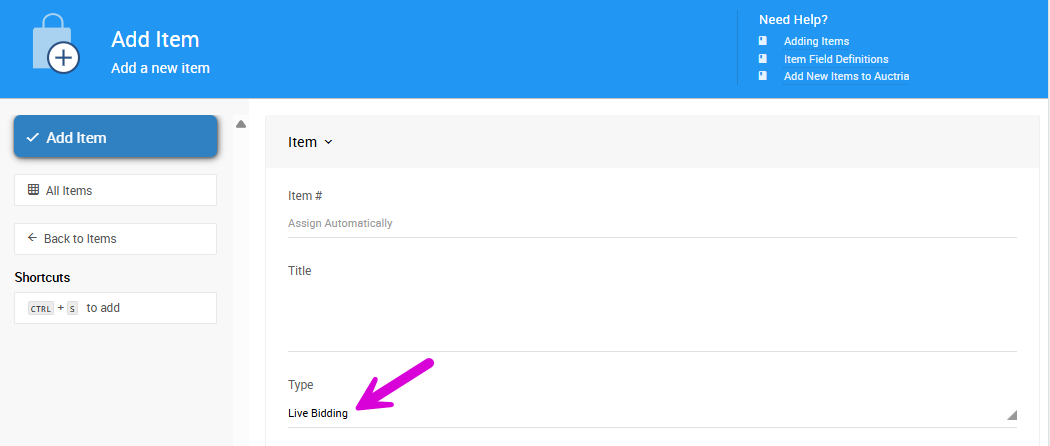
An example from a demonstration event.
🖨️ How to Print Live Reporting Sheets
Before your event, print out reporting sheets to track winning bids as they're called out.
- Go to Printing > Live Reporting Sheets.
- Select which Live Auction items to include.
- Download the PDF and print it out for your auction team or volunteers.
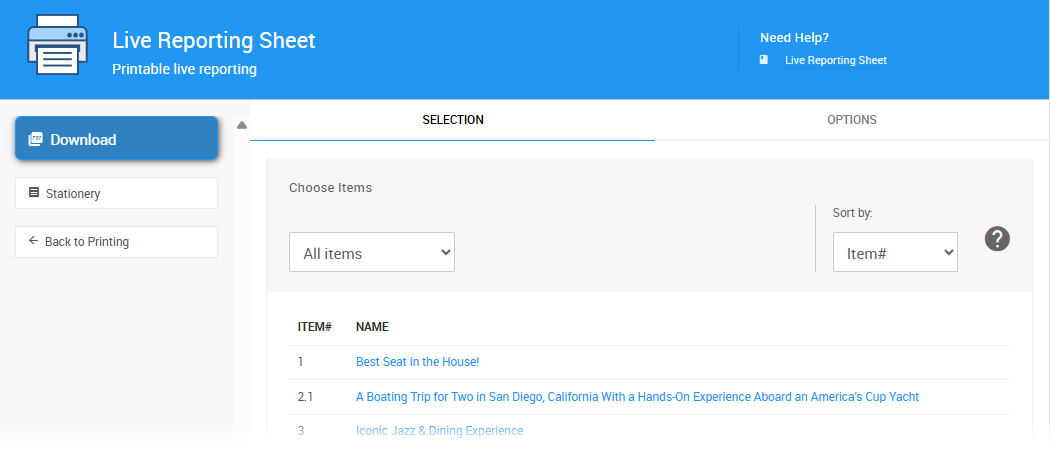
An example from a demonstration event.
🏆 How to Record Winning Bids
After the event, record each winning bid in Auctria:
- Go to the Bidding dashboard.
- Click Record Live Bids to open the Live Auction page.
- Enter the winning bidder number and final amount for each item.
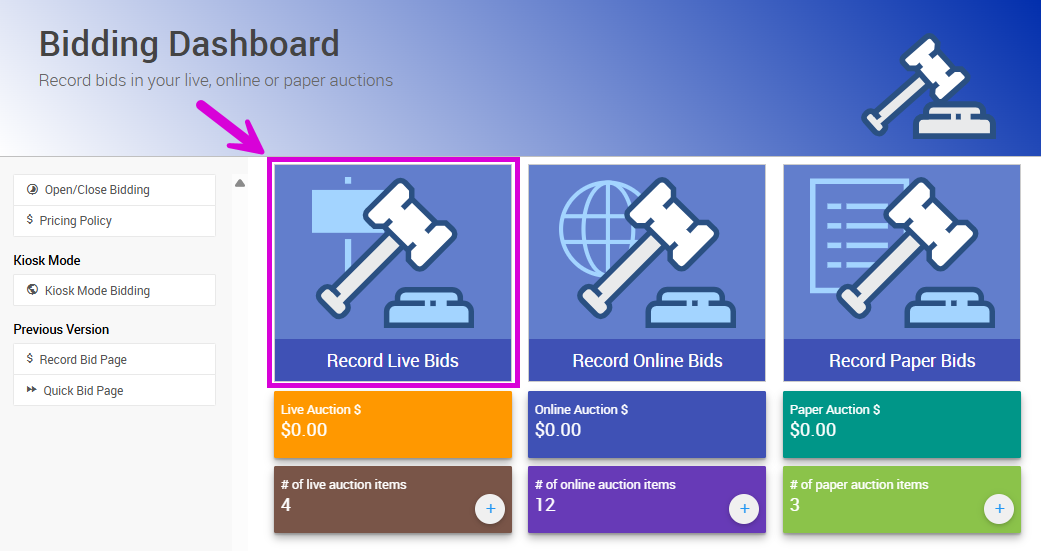
An example from a demonstration event.
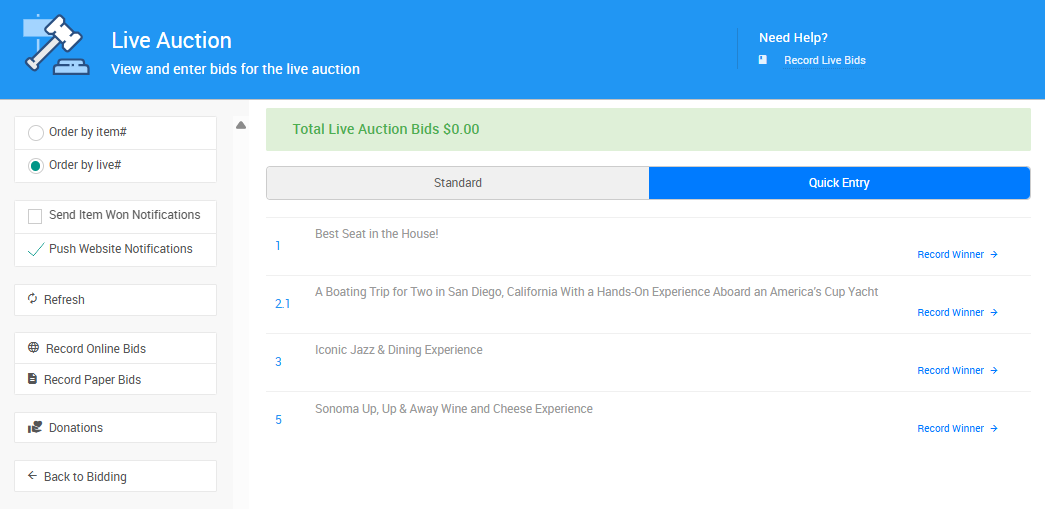
An example from a demonstration event.
➡️ See Record Live Bids for more details.
📣 How to Notify Winners
To notify guests about their winning live auction bids:
- From the Live Auction page, check the Send Item Won Notifications box.
- Auctria will send an email or text to each winner letting them know what they won and how to pay.
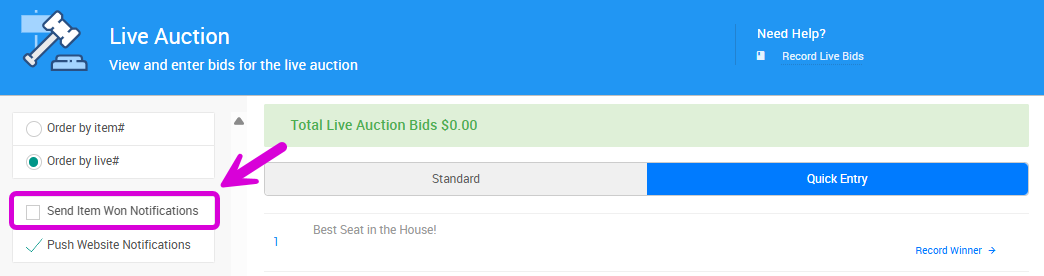
An example from a demonstration event.
💡 Guests can also see their winnings and complete payment by logging into their bidder account.
🔗 More About Live Auctions
- ✅ Live Bidding Items — Create items using the Live bidding type.
- ✅ Print Live Reporting Sheets — Keep track of winning bids during the event.
- ✅ Combine with Online Pre-Bidding (Optional) — Let guests place early bids online before the event. The top pre-bid becomes the starting bid during your Live Auction.
- 🎯 Perfect for building buzz or including remote supporters!