
Learn how to add a countdown timer to your event website using the Countdown element.
The Countdown element displays a live timer counting down to one or more configured target dates. It is commonly used to build anticipation before an event or bidding period opens.
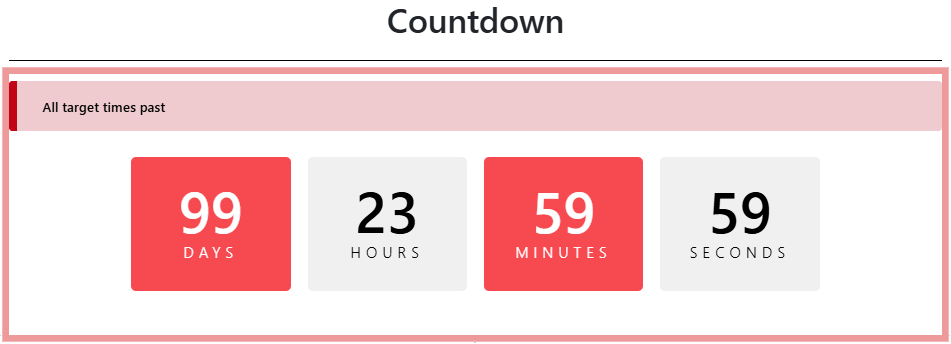
An example of the Countdown element on the event website in Edit mode.
Adding a Countdown to a page
Drag the Countdown element from the Website Editor Sidebar into a column space.
Countdown Settings
Clicking a Countdown element opens its settings panel in the Website Editor Sidebar.
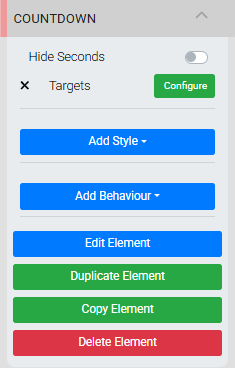
The Countdown settings panel in the Editor sidebar.
| Setting | Description |
|---|---|
| Hide Seconds | Toggles the display of the seconds portion of the countdown. |
| Targets | Clicking Configure opens the Select Targets window, where you add and manage the dates the countdown counts toward. If no valid targets are set, the element does not display. |
Managing Targets
The Countdown element supports multiple targets that work in a cascading sequence. When the first target's date passes, the countdown automatically advances to the next target, and so on. If no valid targets remain, the element is hidden.
To add a target, click Add Target in the Select Targets window. Click the pencil icon on a target to open its options.
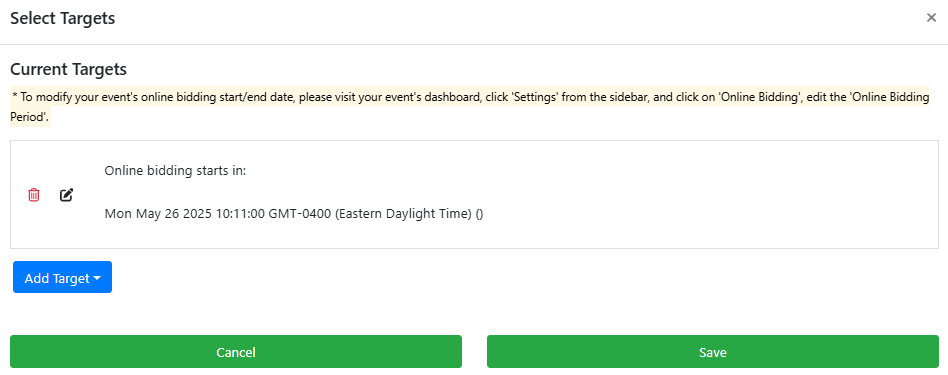
An example from a demonstration event.
Each target has the following settings:
| Setting | Description |
|---|---|
| Title | An optional label displayed above the countdown (e.g., "Bidding opens in"). |
| Target Date/Type | Sets what the timer counts toward. Custom Date lets you pick a specific date and time. Online Bidding Start and Online Bidding End use the times defined in Online Bidding Settings. |
Countdown Styles
The Countdown element has unique style properties available through the Add Style panel.
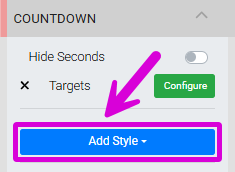
The Add Style button on the Countdown settings panel.
The block colors are split into Odd and Even groups: Odd applies to the Days and Minutes blocks, and Even applies to the Hours and Seconds blocks.
| Style Property | Description |
|---|---|
| Odd Background Color | Background color for the Days and Minutes blocks. |
| Odd Text Color | Text color for the Days and Minutes blocks. |
| Even Background Color | Background color for the Hours and Seconds blocks. |
| Even Text Color | Text color for the Hours and Seconds blocks. |
| Title Text Color | Color of the target title text. |
| Title Font Size | Font size of the target title text. |
| Title Font Weight | Font weight of the target title text. |
| Title Text Alignment | Alignment of the target title text. |
See Background and Fonts for more details on applying these styles.
See Common Element Actions for more details on managing the Countdown element.