
The Reports feature can be managed and configured with filters, settings, and views.
About Reports
The Reports feature can be fully customized, allowing users to tailor their reports according to specific needs and preferences.
Click Reports on the left sidebar, under Explore.
In general, reports will be displayed in a "list" view. These list views can be modified using the controls found at the top of the report.
How to Choose Columns
Three Vertical Bars () -- this opens the Choose Visible Columns window where you can add (or remove) columns available for the current report by checking the appropriate box.
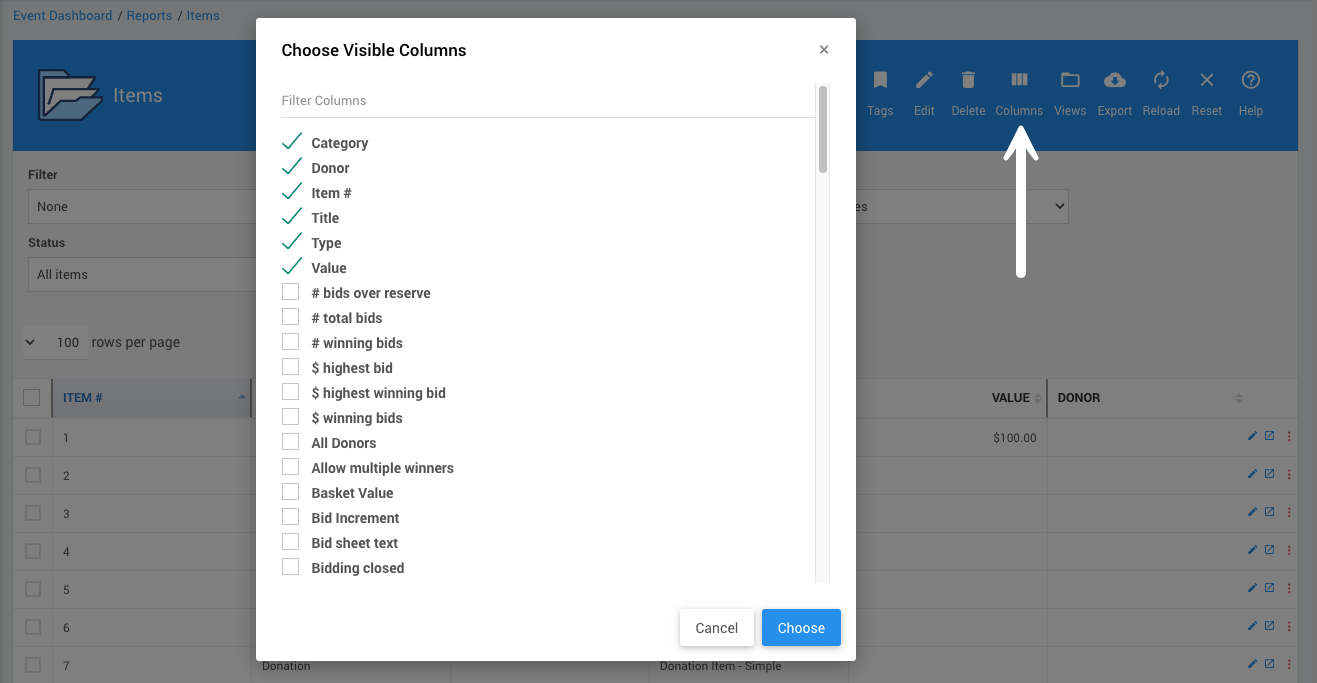
An example from a demonstration event.
See Choosing Columns for more information.
How to Change Report Views
Folder () -- this pops open the View options for the current report.
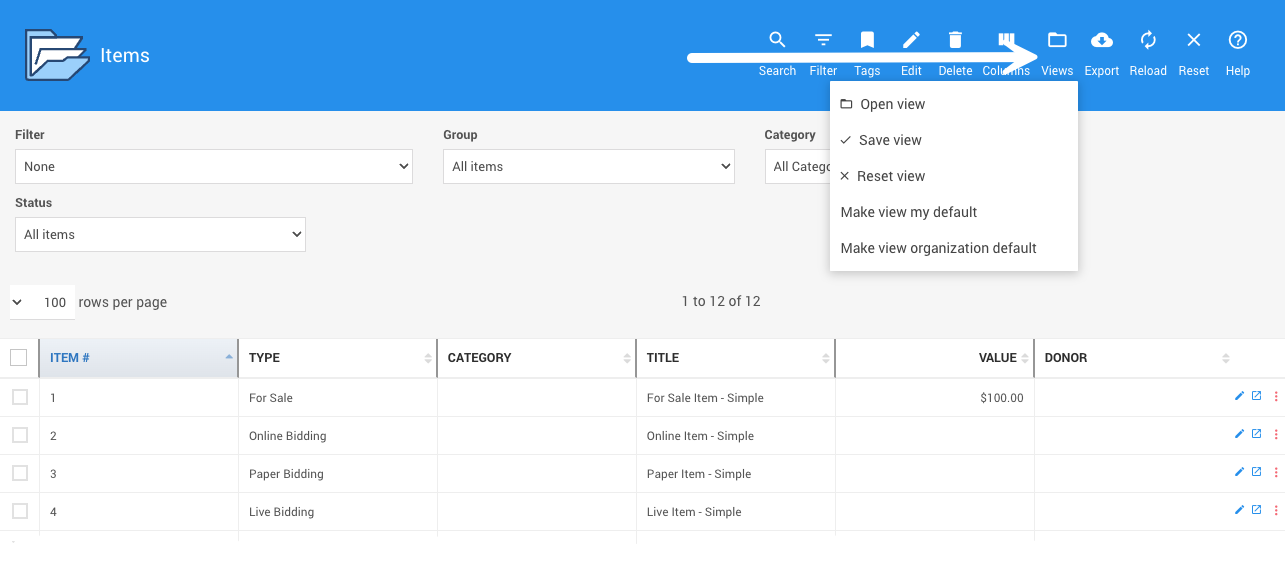
An example from a demonstration event.
See Change Report Views for more information.
How to Filter Reports By Tags
Ribbon/Bookmark () -- this opens a field to search the current report specifically by Tags attached to the event items.
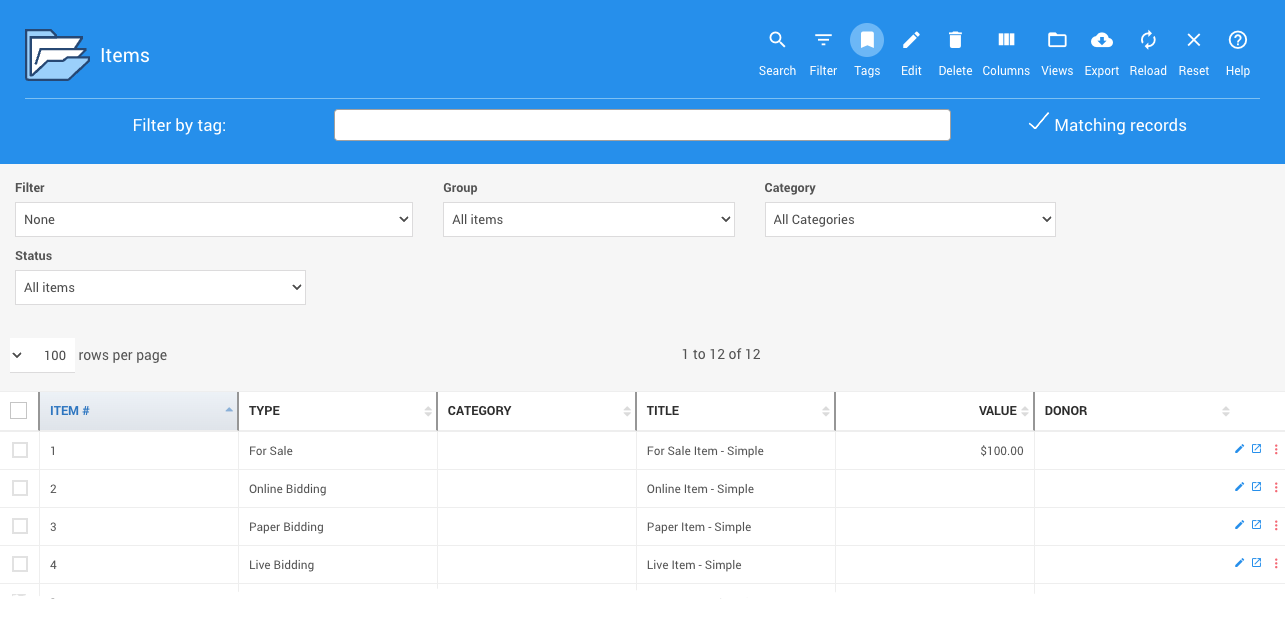
An example from a demonstration event.
See Selecting By Tags for more information.
How to Use Drop Down Selectors
All Report pages have drop-down selectors that can limit the records displayed in the table report you are viewing.
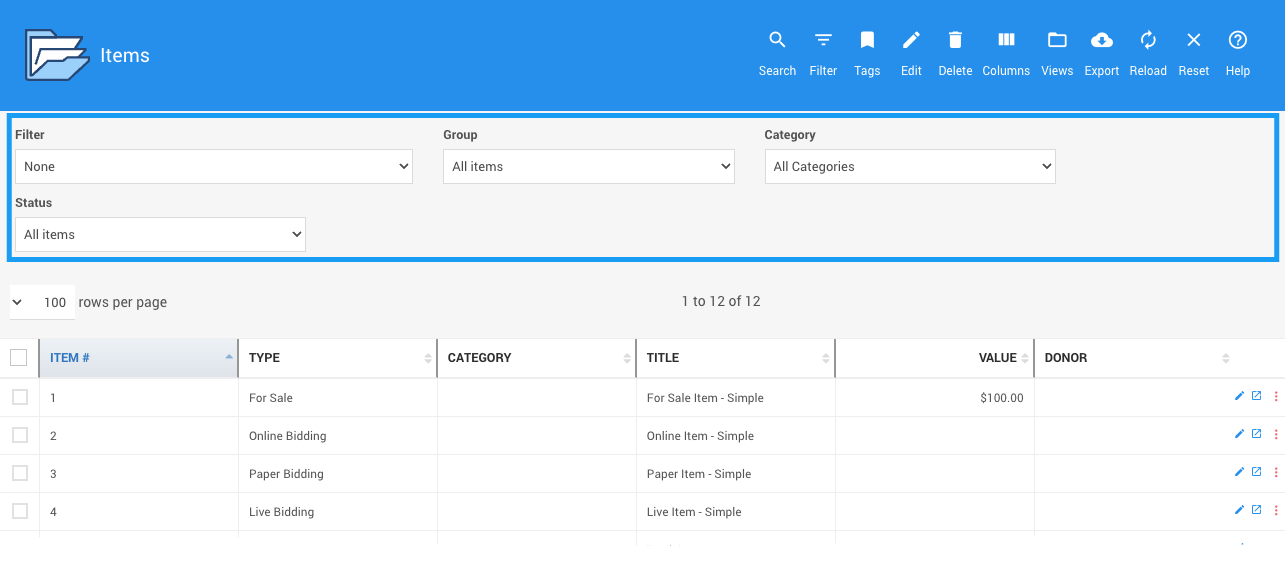
An example from a demonstration event.
See Drop-Down Selectors for more information.