
Learn how to add a full-width hero banner to your event website using the Hero Element.
The Hero element is a rich content block that combines a full-width background image with overlaid text, making it well-suited for event banners and landing page headers.
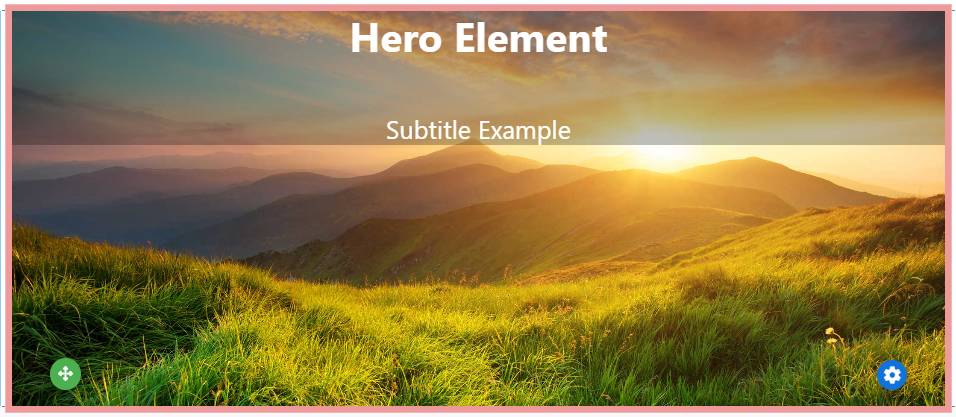
An example of the Hero element on an event website in Edit mode.
Adding a Hero to a page
Drag the More Column Content element from the Website Editor Sidebar into a column space to open the Choose Content window. Select the Rich Content tab, then click Hero.
Editing the Hero Element
The Hero element is built from the following components, each of which can be edited individually once the element is on the page:
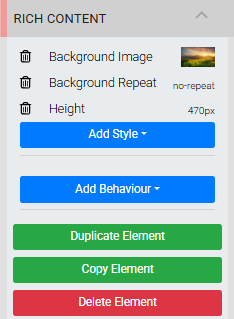
The Rich Content settings panel in the Editor sidebar.
- A background image, controlled via Background Image and Background Repeat
- An overall height, controlled via Height
- Two Text Element elements with placeholder text — Your Event Title and Subtitle for your event
Double-click on the Title and Subtilte to replace the placeholder text and set your background image and height to suit your event.
Adjusting height after changing the background image
When you change the background image, you may need to update the Height to ensure the new image displays correctly within the element.
See Common Element Actions for more details on managing the Hero element.