
Learn how Expense Categories group your event expenses, and how they work with Consignment Categories.
Expense Categories group the expenses you record for your event, such as Venue or Advertising, so you can see where your money is going. The Expenses by category chart on the Expense Dashboard uses them.
Expense Categories are optional. You can record expenses without assigning a category.
Add An Expense Category
Click Financials → Expenses → Add New Expense Category, then enter a Name and an optional Description.
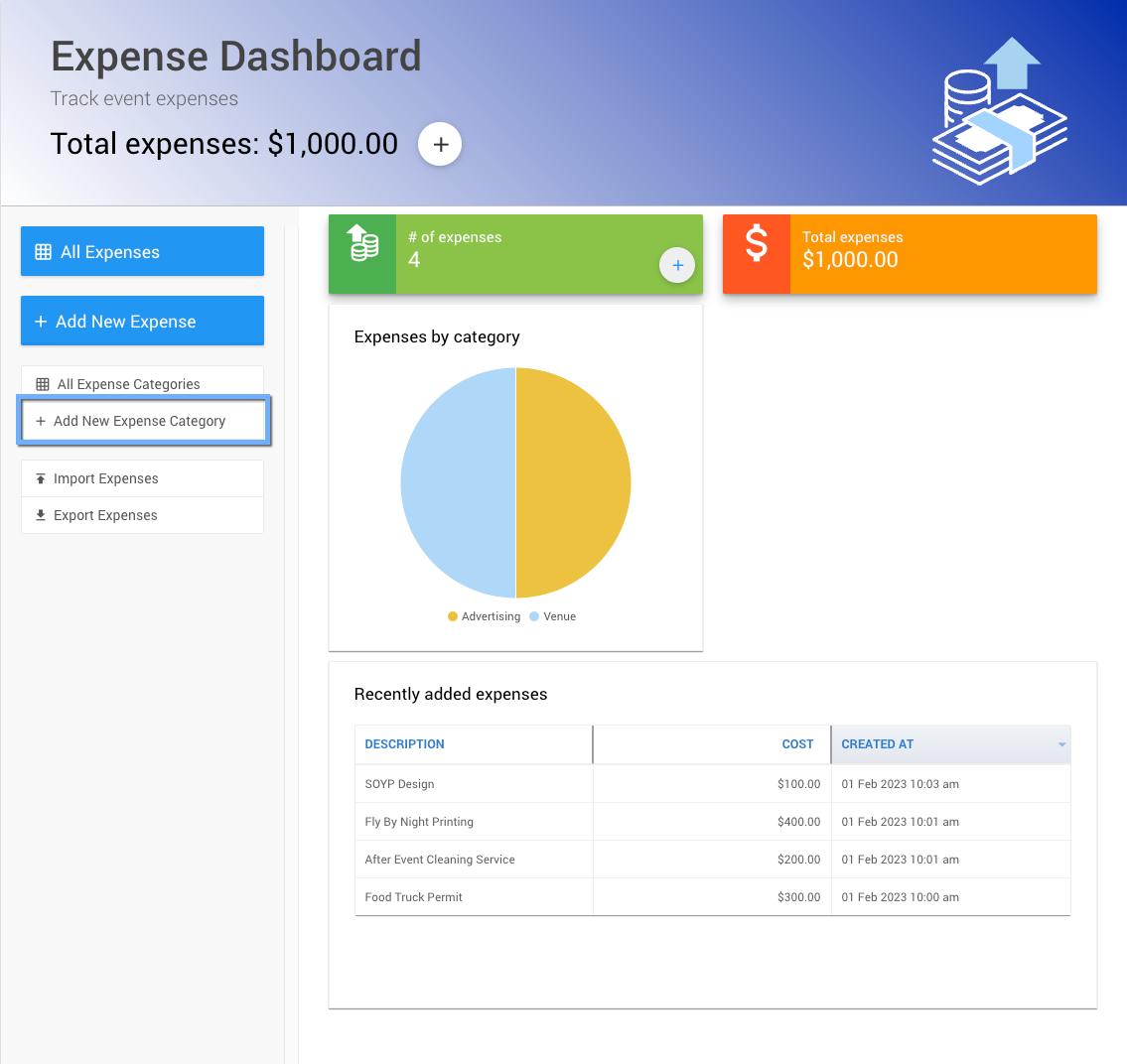
The Add New Expense Category action on the Expense Dashboard, from a demonstration event.
See How To Add An Expense Category for step-by-step instructions.
To see all of your Expense Categories, click Financials → Expenses → All Expense Categories.
Expense Categories And Consignments
When a consigned item sells, Auctria creates an expense for what you owe the consignor. If the item's Consignment Category has an Expense category selected, the expense is assigned to it. If it doesn't, the expense is still created, just without a category.
Using an Expense Category such as Consignments makes it easier to track and report on everything you owe consignors.
Deleting An Expense Category
Deleting Removes The Category From Expenses
When you delete an Expense Category, it's removed from every expense and every Consignment Category that uses it. The expenses themselves aren't deleted; they're left without a category.