
The Item Details History tab is where you can see all of the changes that have been made to an item.
Each entry shows what changed, when it changed, and which user made the change.
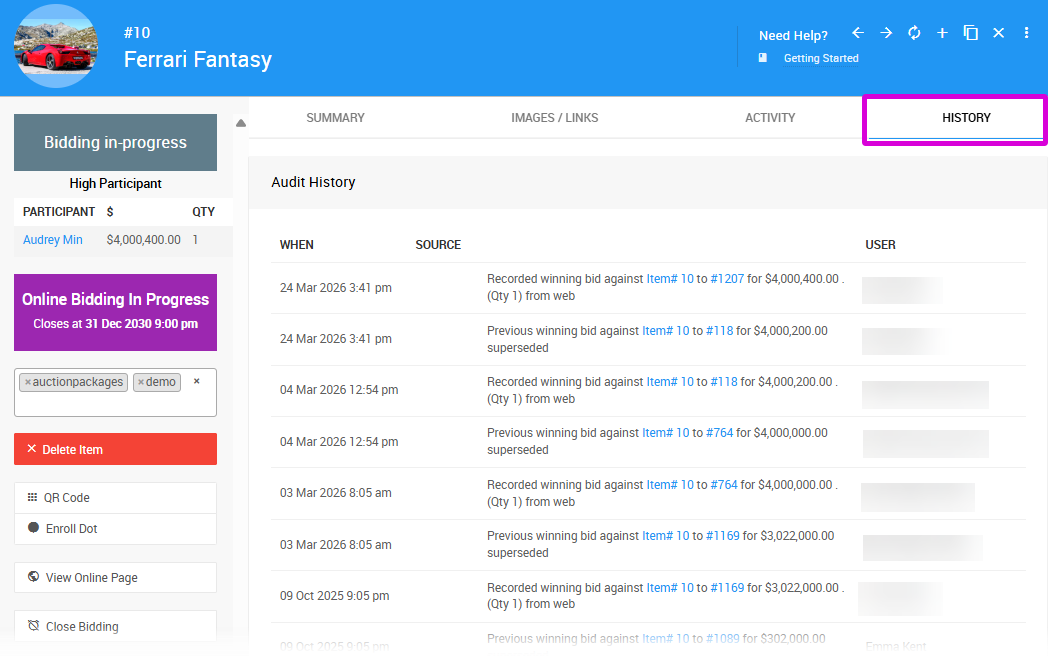
An example from a demonstration event.
Entries displayed in blue text are clickable links to more specific details. Hovering over a linked entry will show a summary pop-up card — you can follow the links within the card or double-click the entry to navigate directly to the related record.
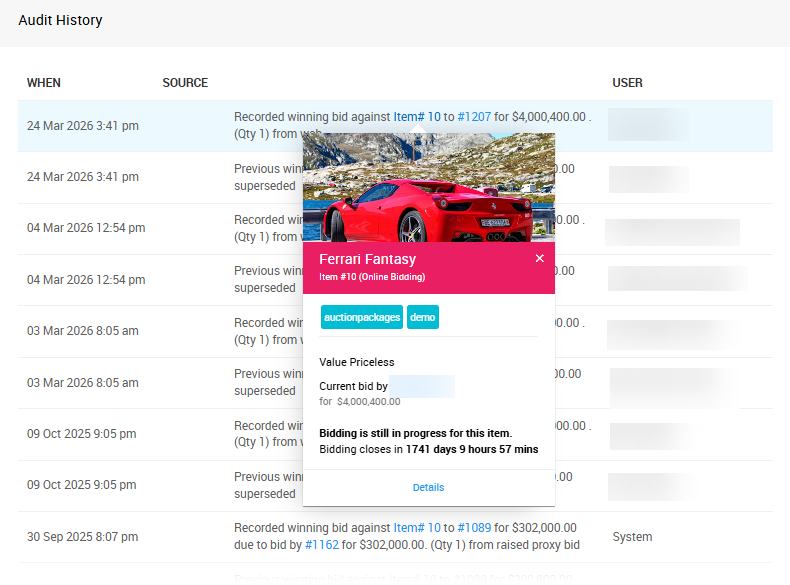
An example from a demonstration event.
Activity vs. History
The History tab only records completed transactions. For example, if a bid has been placed on an item that is still open, it may not appear here yet since the transaction isn't complete.
For in-progress bids and purchases, check the Activity tab instead.