
Learn how to check the total amount of credit card fees your organization paid for an event.
You can see how much your organization has paid in credit card fees by taking a look at your Credit Card Summary. This guide will explain how to view the information in this report.
Step 1: Credit Card Charges
To know how much your organization paid in fees, you can look at the Report > Financial | Payments > Credit Card Summary. This can also be found from the Credit Cards dashboard page under the Actions sidebar menu as the Charge Summary entry.
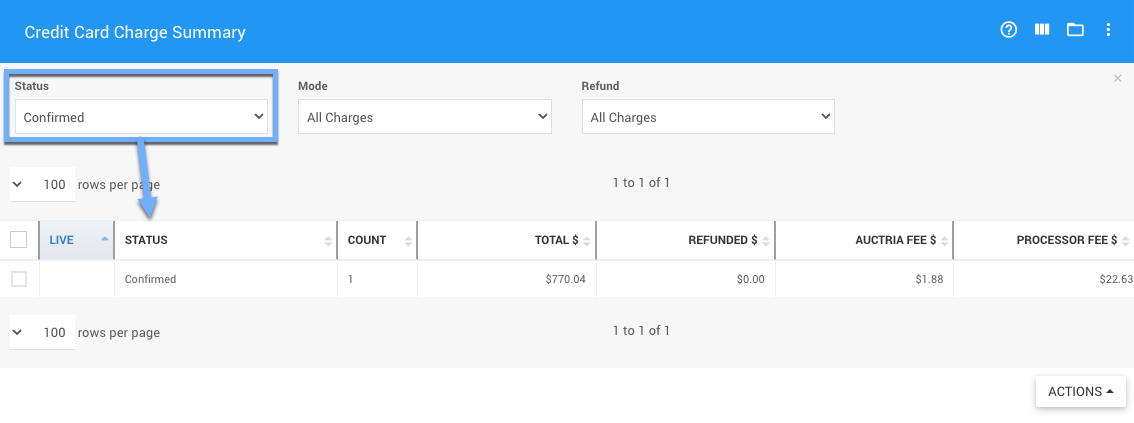
An example from a demonstration event.
All Charges vs Confirmed
The default report will use the "Status" of All Charges, the better status to use in this case is Confirmed which represents the actual charges made.
Step 2: Income Summary Table
You can see the Covered Credit Card Fees on the main Auction Dashboard in the Income Summary table.
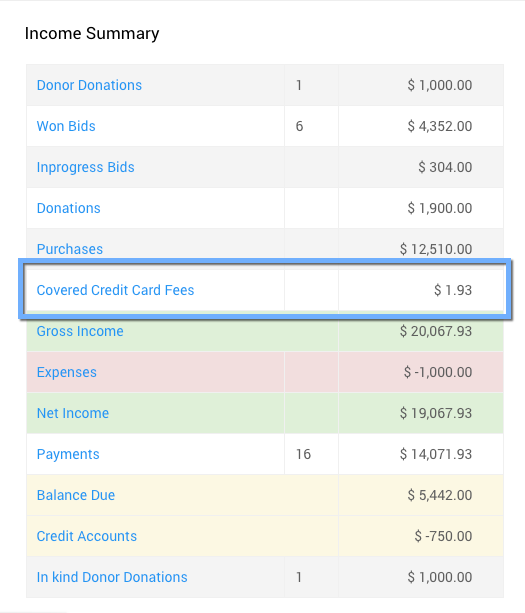
An example from a demonstration event.
Step 3: Covered Credit Card Fees
Clicking on Covered Credit Card Fees will take you to a specialized report of the transactions.
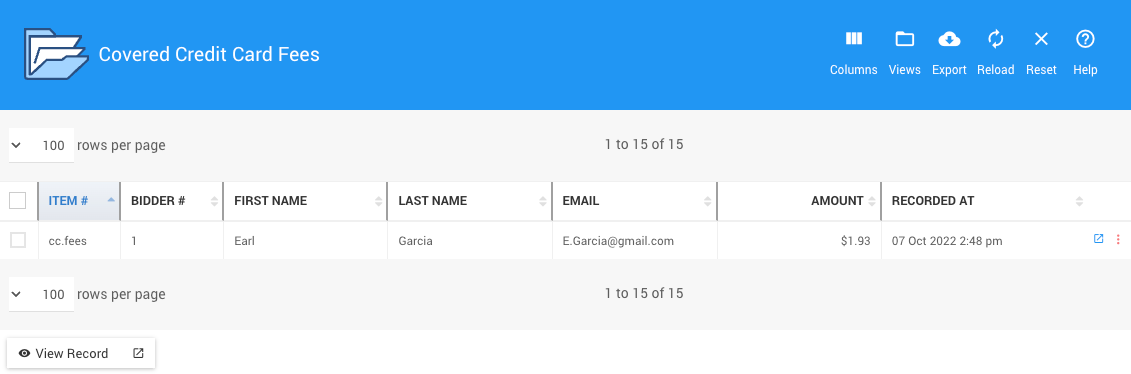
An example from a demonstration event.
Step 4: The cc.fees Item
You can also see what your guests have paid, if the option was available to them, by viewing the cc.fees item. This item is used exclusively to track the fees that are paid by your guests.
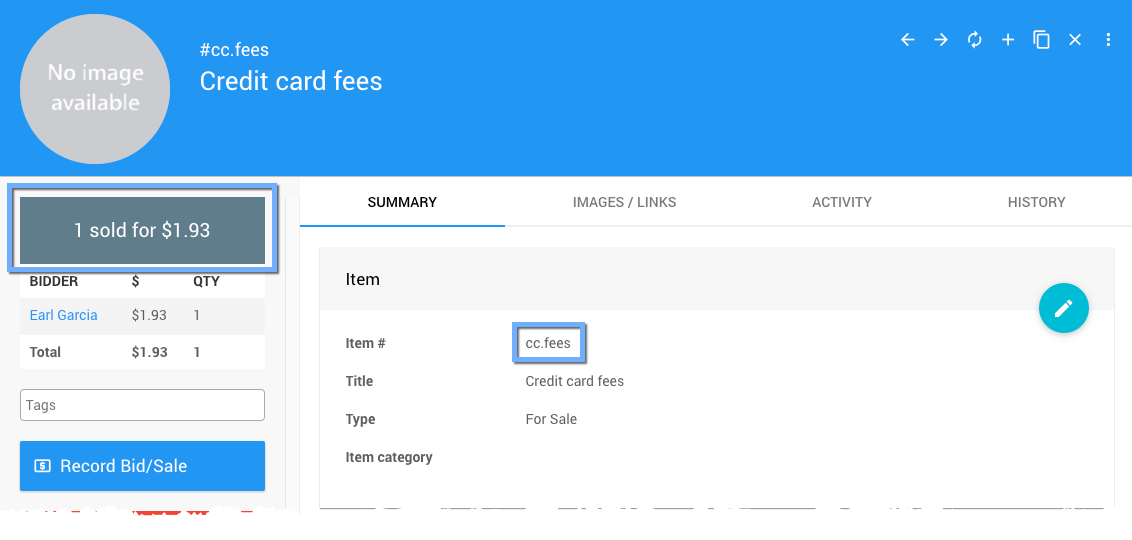
An example of the cc.fees item from a demonstration event.
Step 5: Comparing Totals
Comparing these two totals, subtracting the cc.fees total (shown under the image placeholder in the sidebar -- see example image above) from the credit card total processing fees (Auctria Fee + Processor Fee) will leave you with the amount your organization ultimately paid in credit card processing fees (including the Auctria integration fees).
Warning
It is important to note the organization will always be paying the credit card processing fees and the Auctria integration fees on credit card transactions only.
When a bidder pays the fees, they will be paying an extra amount. This extra payment amount is based on the the credit card processing fees plus the Auctria integration fees and applied to their balance during checkout.
This extra payment amount will cover the fees being charged leaving the entire donation, purchase, and winning bid amounts to the organization.