
To add meal choices for your event:
- Click the Settings button in the left sidebar of your Event Dashboard.
- Use the search bar to type
meal choices. - Select Meal Choice Settings from the results.
From there, you can:
- ✅ Require guests to select a meal at checkout
- 🥗 Add or edit your list of meal choices (as a comma-separated list)
- 📋 Enable a field for dietary restrictions
- ⏳ Set a meal change cut-off deadline
These settings apply to admission ticket purchases on your event website. Easy for you—smooth for your guests!
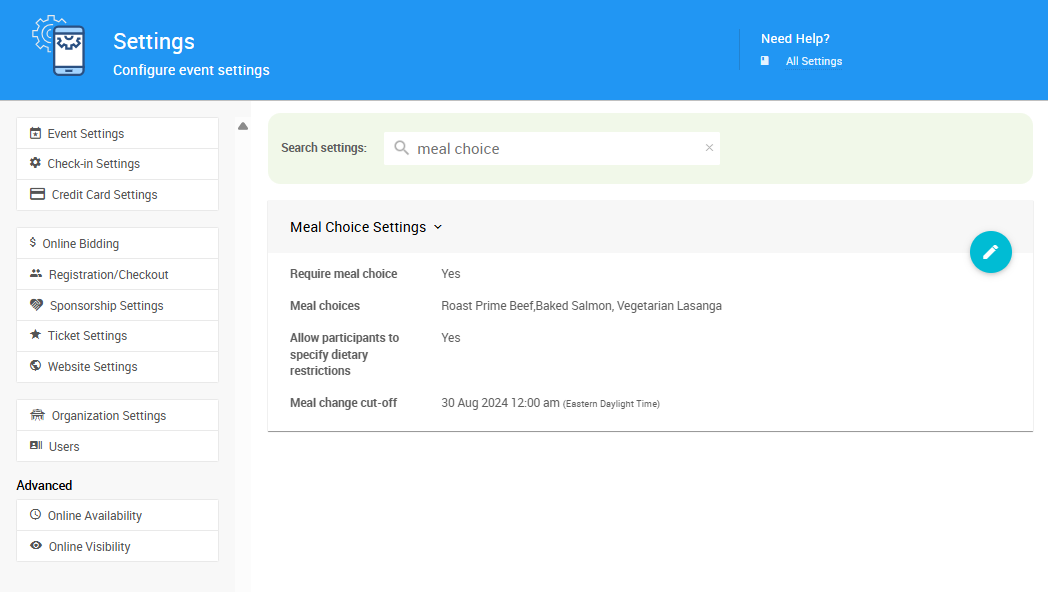
An example from a demonstration event.
See Meal Choices and Dietary Restrictions for more information about Setting Up Meal Choices.